Cross-Sell vs Up-Sell: Product Recommendations Compared
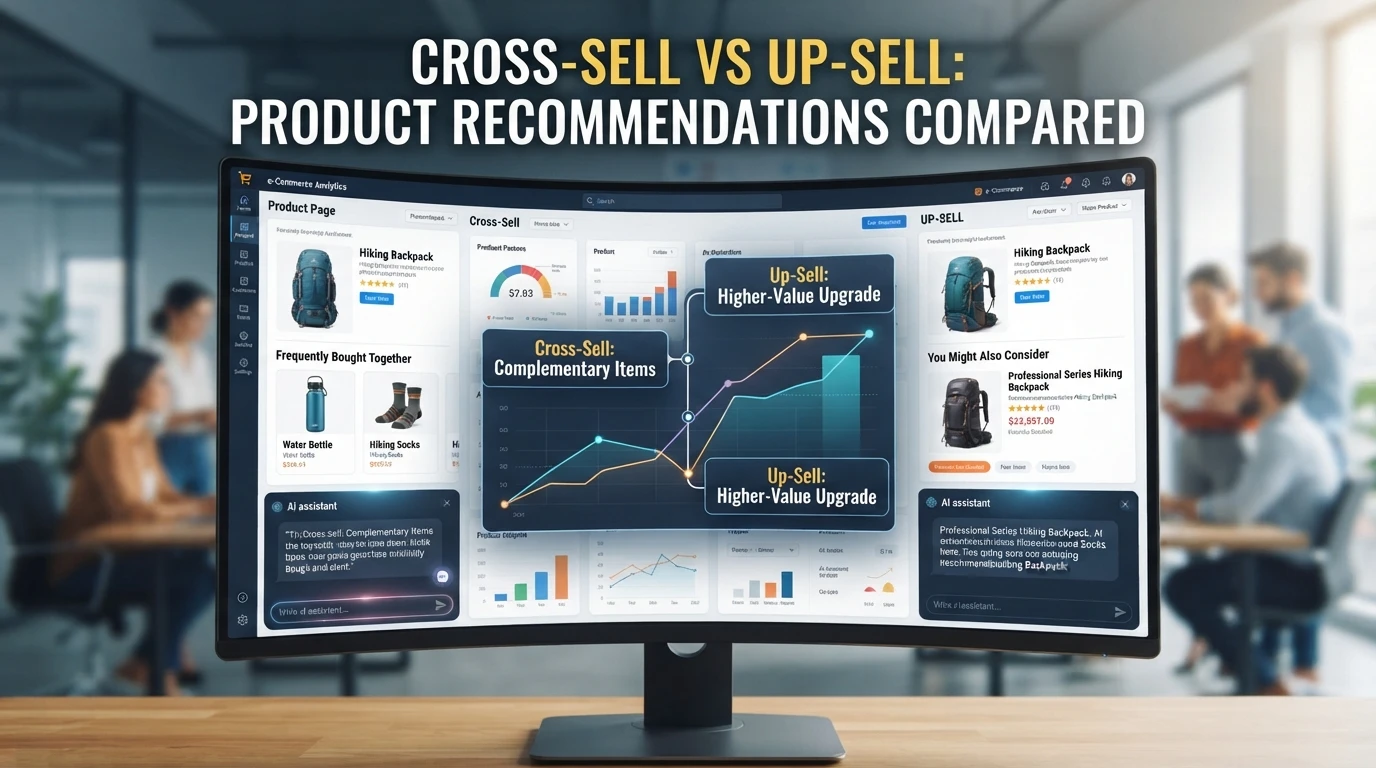
Quick Summary: Choose up-sells when products have clear premium versions, and cross-sells when items have useful accessories, refills, or add-ons. Place up-sells on product and collection pages where shoppers compare options, and cross-sells in carts, checkout, or after purchase where buying intent is already set. Static widgets provide broad coverage, while conversational recommendations can tailor offers for high-consideration purchases. Track acceptance rate, attach rate, revenue per session, and average order value separately for each technique.
The cross sell vs upsell choice comes down to your catalog. If nearly every product has a premium version, upsell is your lever. If buyers have useful add-ons, refills and accessories, cross-sell is. Matching the wrong technique to your store usually means flat average order value and a distracted shopper. This comparison defines both, maps each to Shopify placements, weighs static apps against a conversational assistant, and ends with a simple rule for combining them.
Cross-Sell vs Up-Sell: At a Glance
| Cross-sell | Up-sell | |
|---|---|---|
| Core idea | Add a different, complementary item to the basket | Swap or extend the chosen product to a higher-value version |
| Typical example | Laptop sleeve offered with a laptop | Standard plan suggested over the entry plan |
| Shopify placement | Product page, cart drawer, post-purchase page, order email | Product page variant selector, cart drawer, checkout (Shopify Plus) |
| Best when | The catalog carries genuine add-ons and accessories | A credible step-up version exists at a clear price gap |
| Main risk | Irrelevant extras that add clicks without adding margin | Pushy framing that reads as pressure and erodes trust |
How Cross-Sell and Up-Sell Compare
In the cross sell vs upsell question, the two techniques serve different goals: one adds to the basket, the other upgrades it.
Cross-sell
Cross-selling recommends products that complement what a shopper already picked, like a laptop sleeve offered with a laptop. It suits stores whose catalog carries genuine add-ons and accessories, placed on the product page, cart drawer, post-purchase page or order email. The main risk is irrelevant extras that add clicks without adding margin.
Key strengths:
- Increases average order value with genuinely useful additions
- Powers classic "frequently bought together" and product bundles
- Flexible Shopify placements from product page to order email
Up-sell
Up-selling moves a shopper from the item they chose to a higher-value or more complete version of the same product, such as a standard plan over the entry plan. It works best when a credible step-up exists at a clear price gap, on the product page variant selector, cart drawer or checkout with Shopify Plus. Done carelessly, pushy framing reads as pressure and erodes trust.
Key strengths:
- Lifts revenue per order without extra items
- Fits natural decision points like variant selection
- Clear price gaps make the choice easy to justify
What Is the Difference Between Cross-Sell and Up-Sell?
Cross-sell recommends a related or complementary product, like a phone case next to a phone. Up-sell recommends a better or pricier version of the same product, like upgrading from the standard model to the Pro.
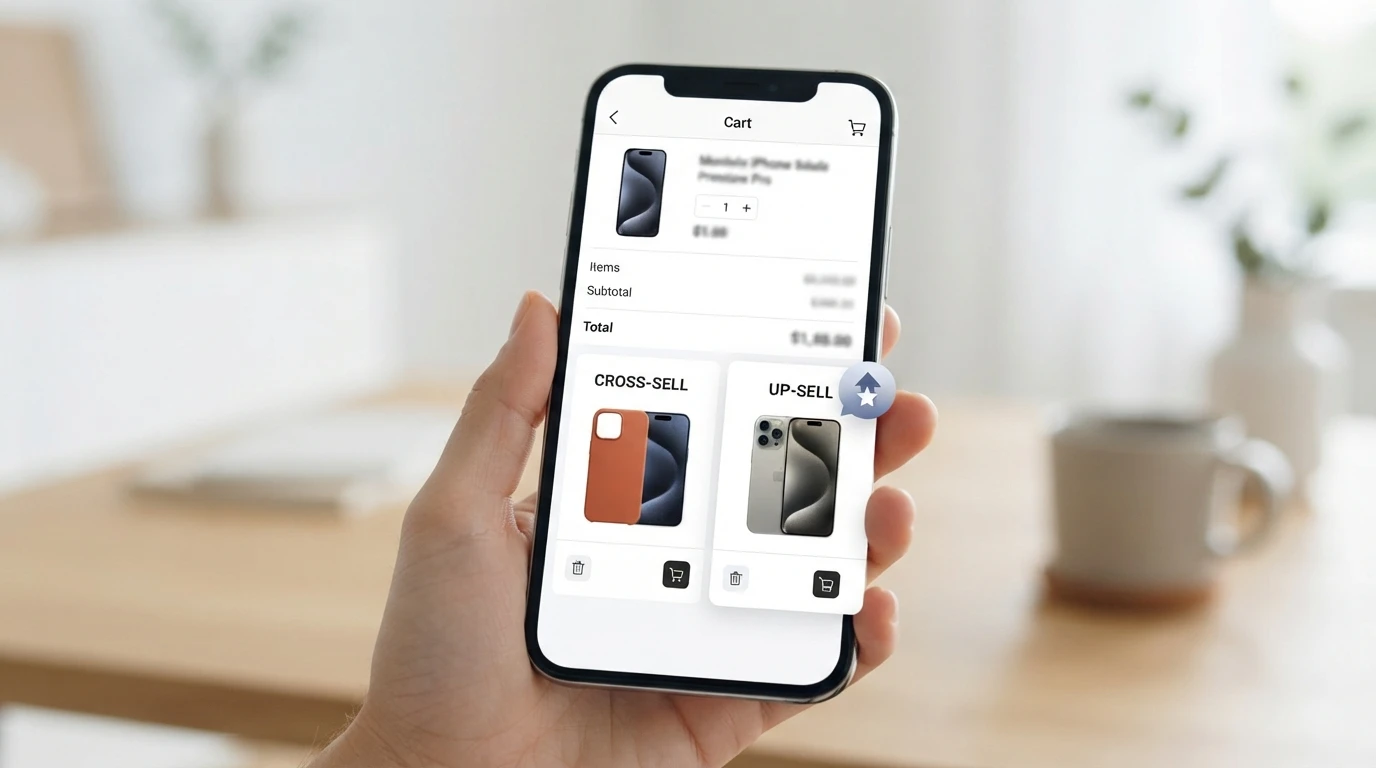
| Cross-Sell | Up-Sell | |
|---|---|---|
| Core offer | Complementary product | Higher-value version |
| Goal | More items per order | Bigger single purchase |
| Typical question | "What goes with this?" | "Is there a better one?" |
Where the Two Techniques Diverge in the Buyer Journey
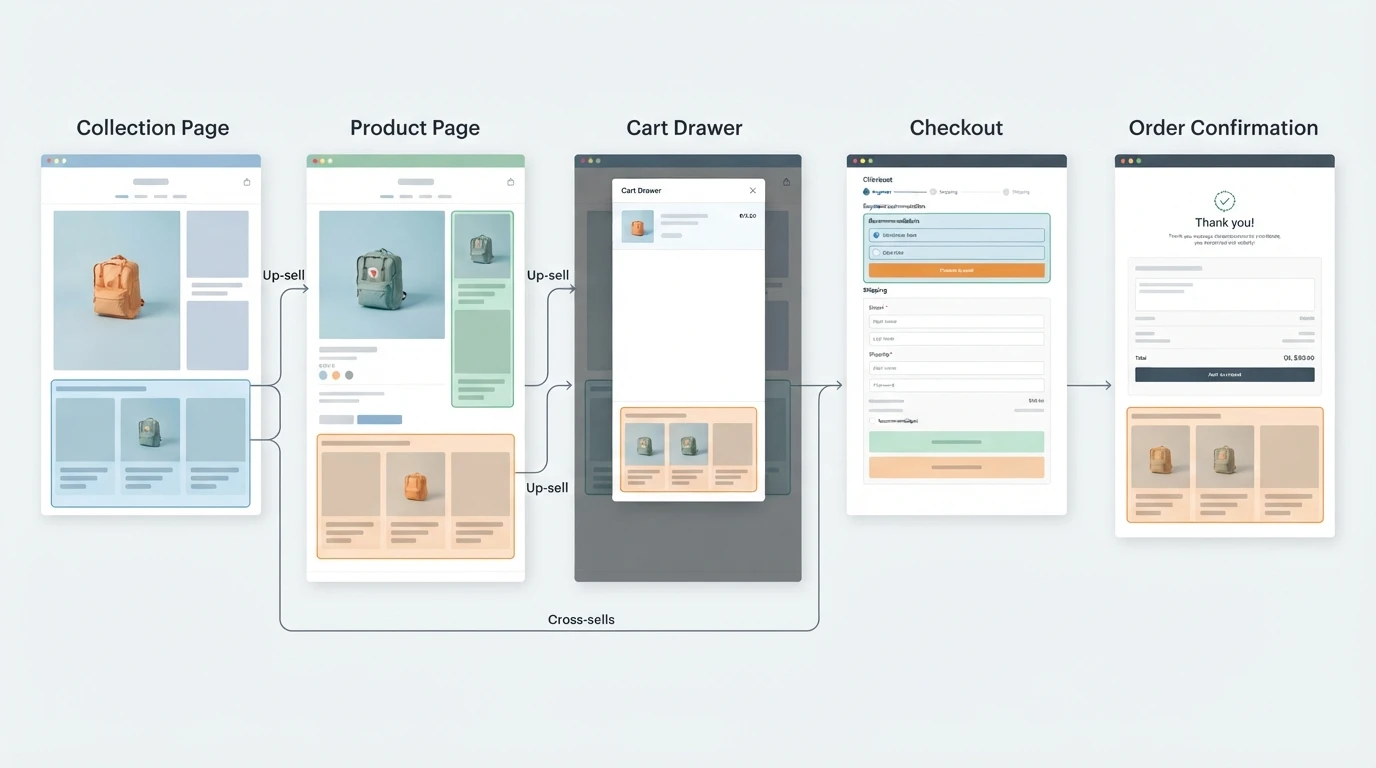
Cross-sell works best once intent is set, usually in the cart drawer, checkout, or after purchase: "frequently bought together" pairings fit here. Up-sell fits earlier, during product discovery, while shoppers still compare options. The same store can run both, but placement decides which one converts. That is why Shopify placement matters as much as the offer itself, and why a well-timed product recommendation often beats a bigger discount.
Choosing by Catalog Structure and Storefront Placement
Where should each offer sit on a Shopify store? Cross-sells work in the cart drawer, checkout and order confirmation, where buying intent is set. Up-sells belong on product pages and collection pages, where shoppers still compare options. Post-purchase pages suit either, since no extra shipping cost applies. Match the slot to the shopper's mindset.
The Two-Question Catalog Test
Ask two questions about your catalog. First, do products have clear upgrades, like a larger size or pro model? If yes, up-sell on the product page. Second, do products pair naturally, like a phone and a case? Then cross-sell in the cart. Stores with both traits should run both. For more placement ideas, see these product recommendation tactics.
Static Recommendation Widgets Versus Conversational Recommendations
Static widgets show the same blocks to every shopper: "frequently bought together" strips, bestseller carousels, bundle offers. They work well at known decision points like the cart drawer, but they cannot react to what a shopper actually wants.
Conversational recommendations adapt instead. An AI sales assistant for Shopify asks one clarifying question, then suggests products that match the answer, so the recommendation arrives with a reason attached.
Use both: widgets for cheap, automatic coverage, conversation for high-consideration products where intent is unclear.
Which Should You Choose: Cross-Sell or Up-Sell?
How to Measure the Two Separately
Track upsell vs cross-sell performance with a bulleted metric list, one bucket per technique:
- Average order value (AOV): compare orders where an up-sell or cross-sell was accepted against those where none was.
- Acceptance rate: accepted offers divided by offers shown, per technique.
- Revenue per session: catches offers that lift AOV but rarely appear.
- Attach rate: cross-sell items bought per order.
In Shopify, tag orders by offer type so your reports split cleanly. An AI sales agent for Shopify can log which suggestion it made, so attribution is automatic rather than guessed.
Choose cross-sell or up-sell per product, then let Kandid surface the right pick in chat while shoppers browse.
Frequently Asked Questions
Q1: What is the difference between cross-sell and up-sell?
Cross-sell adds a complementary product. Up-sell swaps the chosen item for a higher-value version, lifting revenue per order.
Q2: Where should each offer appear on Shopify?
Cross-sell in the cart drawer or post-purchase page. Up-sell on product pages, while shoppers compare options.
Q3: How do I measure which technique works?
Tag orders by offer type, then compare acceptance rate, attach rate and average order value for each technique separately.
Conclusion
Match the technique to your catalog: up-sell when a clear upgrade exists, cross-sell when products pair naturally. Place each offer where shopper intent fits, then measure acceptance rate, attach rate and average order value separately.