Ecommerce Product Recommendations: Use Compatibility Data to Guide Buyers

Quick Summary: Most ecommerce catalogs store only brand and price, so when shoppers ask if a retinol serum layers safely with niacinamide, the chatbot stalls. The fix is treating compatibility as structured data: map recurring buyer questions from support tickets into reusable fields like fitment, pairing, and exclusions, then store them in Shopify using product options for buyer-facing filters and metafields for machine-readable facts. Normalize formats ("iPhone 15" everywhere, not "IP15") so matching actually works, then wire the same fields into PDP recommendation widgets and your chat assistant so both surface only compatible items. Kandid's AI sales agent for Shopify reads this structured catalog data to answer fitment questions mid-chat with real matches instead of guesses, cutting returns and building buyer trust.
A shopper asks your chatbot if a retinol serum layers safely with niacinamide. The assistant stalls, because your catalog only holds brand and price. Product recommendations using compatibility data fix this: each product carries attributes that say what it pairs with. This guide shows how to structure those attributes in Shopify, then power product recommendations using compatibility data through your storefront and an AI sales agent, so every answer guides buyers to products that actually work together.
Step 1: Map the Compatibility Questions Your Buyers Ask
List the buyer questions that drive returns
Pull your last 50-100 support tickets and return reasons. You are hunting for questions like "Will this case fit an iPhone 15 Pro?" or "Does this toner work with my printer model?" Each one signals a missing compatibility answer. Note which questions repeat and which led to a return. A tight list of 10-15 recurring questions is enough to start.
Group questions into reusable compatibility fields
Sort the questions into fields you can attach to every product: fitment (model, size, year), pairing (works-with relationships), and exclusions (known conflicts). A cycling store might use frame size, wheel diameter, and brake type. This structure is what powers product recommendations using compatibility data later. If you plan to route these questions through an AI sales agent, clean fields matter more than long descriptions.

Keep fields consistent. "Compatible with 2019-2023 models" beats a paragraph of prose your store data can't filter.
Step 2: Model Compatibility in Your Catalog
Shoppers ask "does this fit my bike?" or "will this case fit an iPhone 15?" Your catalog must answer in data, not adjectives. Shopify gives you two places to store compatibility, and each has a job.
Use product options for buyer-facing filters
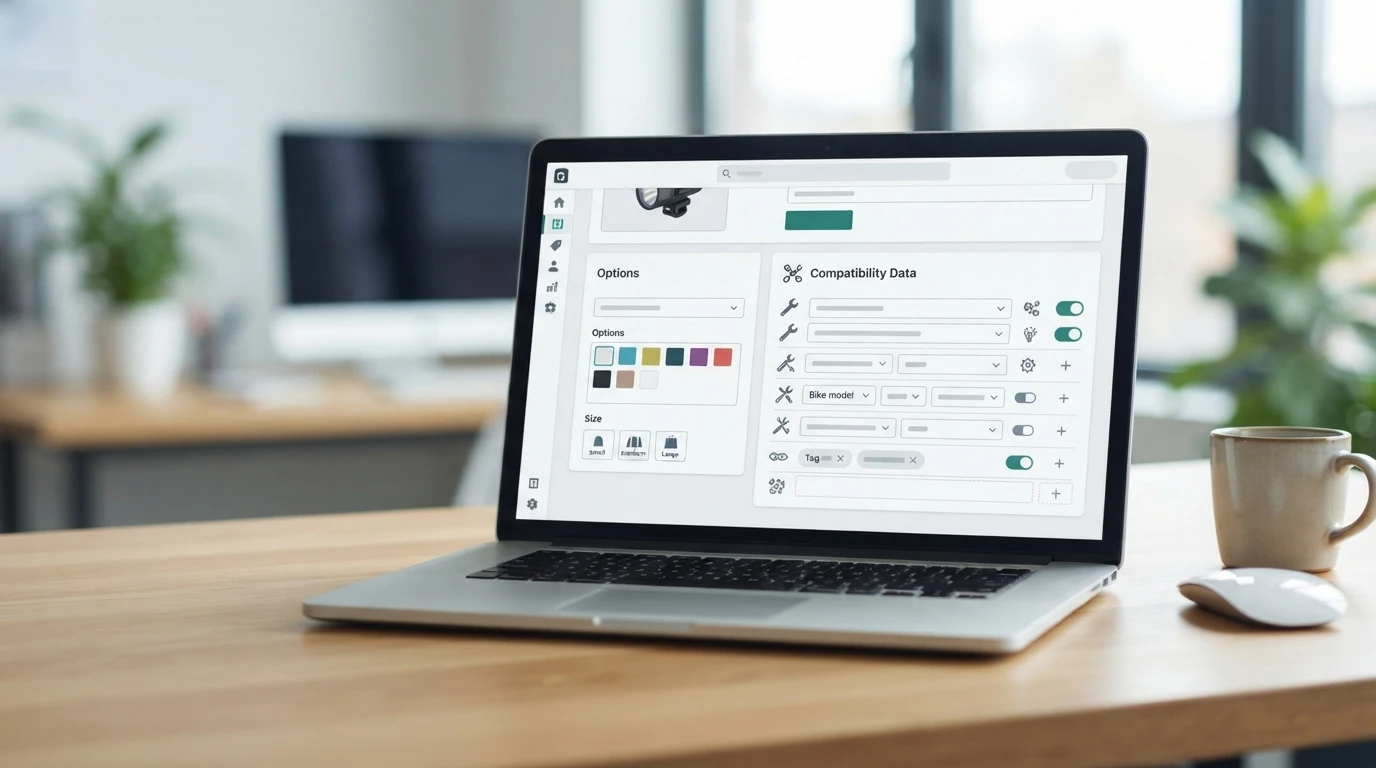
Product options appear on the product page, so use them for what buyers select directly: size, color, finish, or capacity. They power storefront filters and variant selection. Keep options limited to choices the buyer makes, not hidden technical facts.
Use metafields for machine-readable compatibility data
Metafields hold structured facts the storefront does not show by default: compatible models, thread sizes, voltage, fitment years. Define a metafield definition once (for example, compatible_models as a list of single-line text), then fill it per product. Tools like a Shopify AI sales agent can read this structure and answer fitment questions with real data instead of guessing.
Normalize values so matching actually works
Pick one format per field and stick to it. Use "iPhone 15" everywhere, never "IP15" or "Apple iPhone Fifteen". Inconsistent values break matching, so a small cleanup pass saves hours later.
Step 3: Wire Compatibility Data Into Recommendations
Narrow PDP widgets to compatible items only
On each product page, filter the "you may also like" widget by your compatibility fields. A buyer looking at a 13-inch MacBook case should see 13-inch cases, not your bestsellers. In Shopify, use metafields or tags as the filter source, then test a few pages before rolling out store-wide.
Let the chat assistant use the same data
Give your chat assistant access to the same fields, so it answers "will this fit my stroller?" with real matches instead of guesses. An AI sales agent for Shopify can read product data and recommend only compatible items, which builds trust and cuts returns.
Step 4: Validate Before You Switch It On for Shoppers
Spot-check known questions and edge cases
Test 20-30 real questions before launch. Include fits like "does this case fit the iPhone 15?" plus dead ends: discontinued models and half-matched SKUs. Wrong answers here kill trust fast. Fix the underlying attributes, not the reply copy.
Schedule a recurring compatibility audit
Every month, review chat logs for wrong recommendations and missing fit data. Add new products and their attributes, then retest. If you use an AI sales agent like Kandid's Shopify assistant, feed it the corrected catalog after each audit.

Compatibility data only helps when shoppers actually see it. Kandid turns your product attributes into recommendations an AI sales agent shares mid-chat, so buyers find the right fit faster.
Frequently Asked Questions
Q1: How can compatibility data improve ecommerce product recommendations?
It pairs items that work together, like cases fitting a phone model, so shoppers see products they can actually buy with fewer returns.
Q2: Where do I store compatibility data in Shopify?
Use metafields for model, size or variant attributes, then reference them in product recommendations.
Q3: Can an AI chatbot use compatibility data?
Yes. Kandid's AI sales agent reads your product data to recommend compatible items during chat.
Conclusion
Compatibility data turns product recommendations from guesswork into fit. Model fitment attributes in Shopify, map them to your catalog, and let an AI sales agent match shoppers with products that actually work together.