Ecommerce Recommendations by Browsing History
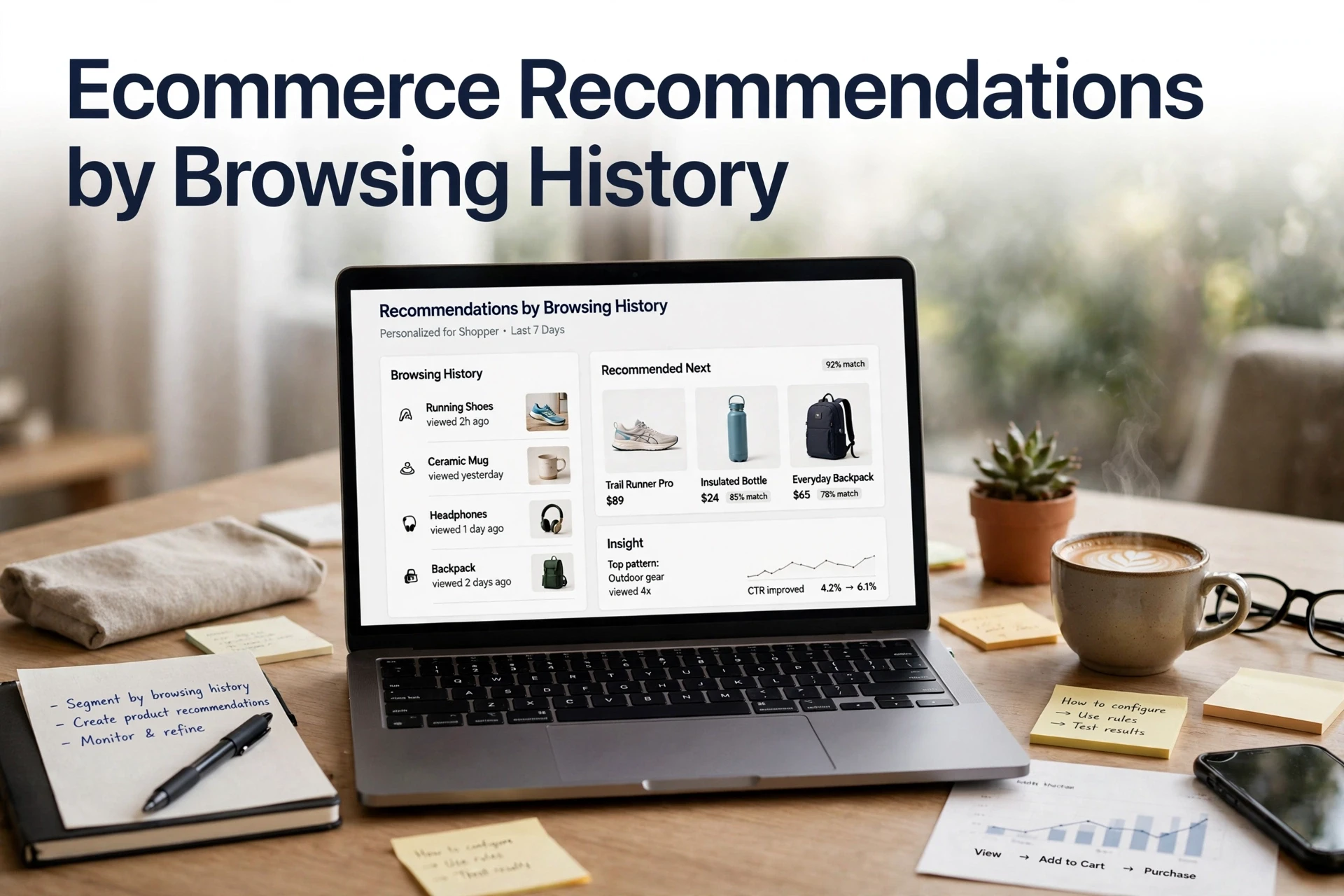
Quick Summary: Shopify’s native recommendation blocks do not use browsing history, so stores need to capture product views and map them to specific rules, placements, and fallbacks. Recently viewed products can return to the homepage or cart drawer, while viewed-but-not-bought items can appear on the cart page or through exit-intent messaging. Track click-through rates, attributed revenue, and chat-driven cart additions by placement, and Kandid can turn these browsing signals into live Shopify recommendations. A shopper studies a merino base layer for four minutes, checks the size chart, and leaves. Tomorrow she sees a generic homepage carousel that skips the one product she wanted. Browsing history recommendations ecommerce stores miss this because they never use what shoppers actually view. Browsing history recommendations ecommerce setups turn viewed-but-not-bought signals into homepage blocks, chat suggestions and emails. This guide walks through the signal-to-rule-to-placement chain, including which parts of Shopify's native recommendations ignore browsing history.
Step 1: Capture the browsing signals that actually drive recommendations
Does Shopify include browsing-history recommendations out of the box? No. Native "You may also like" sections run on Shopify's engine, which is built on order history and product details, not on what a shopper views. Browsing history recommendations in ecommerce start with the signals you capture yourself.
| Shopify gives you | You must capture |
|---|---|
| Order-based "related products" | Product views and viewed-but-not-bought items |
| Search & Discovery app customizations | Category affinity and time-on-page |
Storefront API productRecommendations query |
Session and customer event history |

What Shopify already gives you and what it does not
Shopify's native blocks and the Search & Discovery app cover related products, but neither tracks page views. For that layer, best product recommendation strategies covers which signals matter most.
Choosing session-level or customer-level history
Use session-level history for guests and first-time visitors, since most shoppers browse anonymously. Use customer-level history once someone logs in or subscribes, so "recently viewed" survives across devices. Pick one primary scope per placement and log consent through your cookie banner.
Step 2: Turn browsing signals into recommendation rules
Signals only earn revenue when you attach them to rules. To power browsing history recommendations ecommerce style, map each signal to one rule, one surface and one fallback:
- Recently viewed for session-scoped history
- Viewed but not bought for customer-scoped history
- Category affinity from repeated category views
- Frequently bought together from co-view pairs
- Cold start fallback for new or anonymous visitors

Recency, priority and the empty-state fallback
Cap recency at 30 days, since older views rarely predict intent. Give one rule priority per slot so shoppers never see duplicates. And define the empty-state fallback before launch: bestsellers or new arrivals when no history exists. A rule without a fallback shows blank shelves, and blank shelves sell nothing.
Step 3: Place recommendations where the shopper already is
Storefront placements and the chat channel
Match each browsing-history rule to the surface where it pays off:
| Signal | Best placement |
|---|---|
| Recently viewed | Homepage and cart drawer, using the Shopify "recently viewed" section |
| Viewed but not bought | Cart page and exit-intent slot |
| Category affinity | Category landing pages |
| Co-view and frequently bought together | Product page, under the buy box |
| Cold start fallback for new visitors | Homepage bestsellers |
Each placement answers a different doubt. Recently viewed rescues a shopper who forgot a product; viewed-not-bought gives a reason to reconsider at the cart.
Chat covers what fixed slots cannot. A chatbot product recommendations setup on Shopify can read session context and suggest items mid-conversation, when the shopper asks about fit, shipping or stock.
Step 4: Measure the behaviour layer and fix what is not working
Metrics worth reporting and metrics worth ignoring
How do I measure if product recommendations are working? Report these:
- Recommendation click-through rate: clicks on recommended products divided by times shown, per placement.
- Recommendation-attributed revenue: orders where a clicked recommendation appears in the cart.
- Viewed but not bought: impressions that never earn a click, which flags bad matches.
- Chat-driven adds to cart: when a chatbot suggests products, track whether shoppers add them.
Ignore raw impression counts. High volume with no clicks just proves the block renders.
Give every experiment at least two weeks before judging, since small stores see noisy week-to-week swings. Then check whether to measure product recommendation performance in Shopify down to the placement level, not the app average; a strong PDP widget can hide a weak cart drawer.

Browsing history only pays off when shoppers see the right products at the right moment. Kandid turns those signals into live recommendations on your Shopify store. See how the AI sales agent works.
Frequently Asked Questions
Q1: How do I power recommendations using browsing history?
Capture product views, map each signal to one rule and surface, then add a bestseller fallback for empty states.
Q2: Does Shopify use browsing history in its native recommendations?
No. Native blocks use order and product data, so capture views yourself or via an app.
Q3: How long should I track recently viewed items?
Cap recency at 30 days; older views rarely predict intent.
Conclusion
Browsing history recommendations ecommerce stores can control start with captured signals, not Shopify's native blocks. Map each signal to one rule, one placement and a fallback, then measure clicks and revenue per slot. Do that chain well, and viewed-but-not-bought shoppers return for the right product.