How to Write FAQ Articles for Your Ecommerce Chatbot
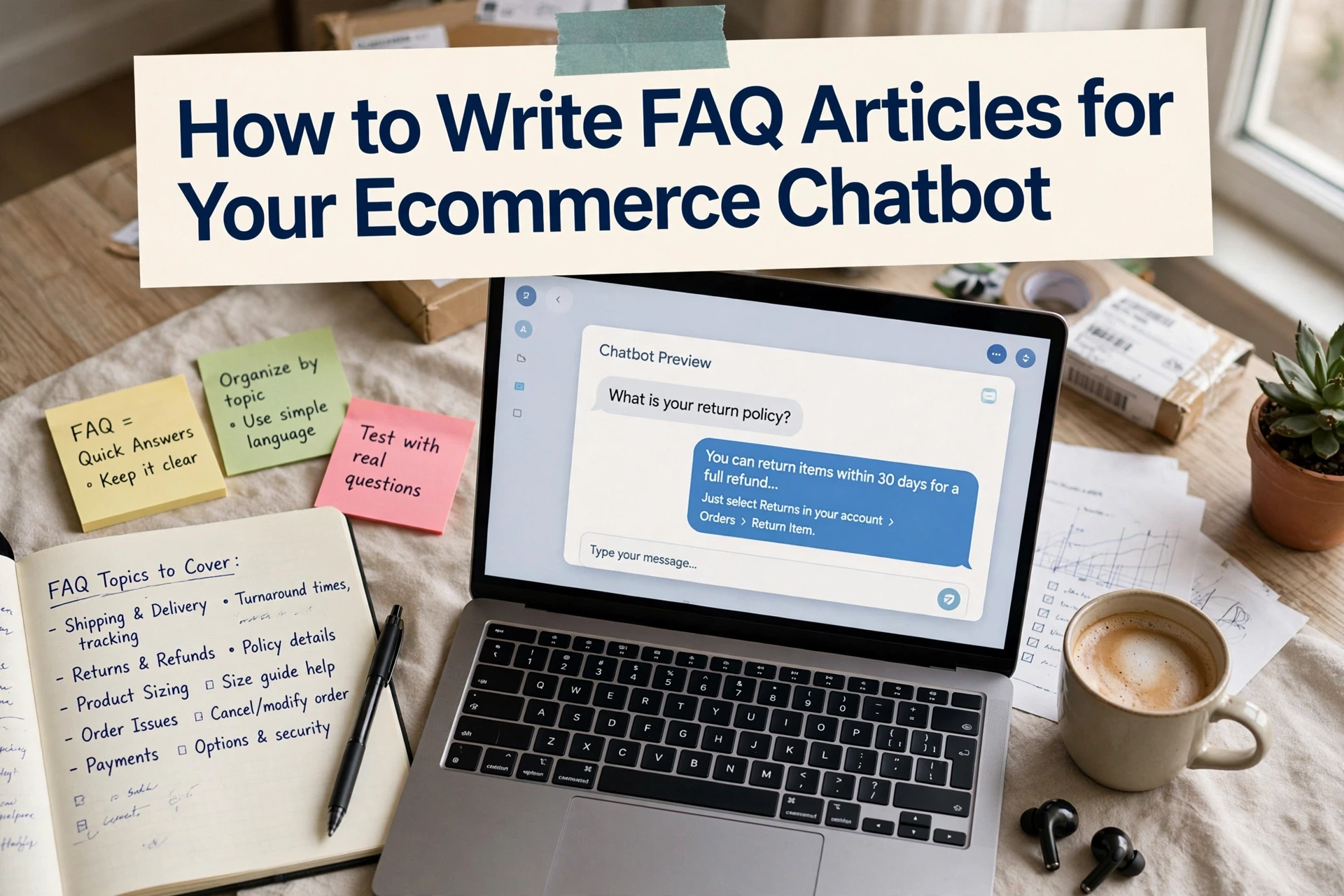
Quick Summary: Write one short FAQ article per customer intent, with the direct answer in the first sentence, key exceptions next, and enough context to remain accurate when quoted alone. Start with the top 20 questions from support logs, prioritize issues tied to checkout and revenue, then publish, index, and test each answer using real shopper questions. Keep policy answers dated and synchronized with help center content, and re-test after every policy change to prevent stale or conflicting responses.
Your chatbot answers shipping questions fine, yet it keeps missing the return window for orders over 30 days. The rule lives in a 900-word policy page with no headings, so retrieval fails. This guide shows how writing chatbot FAQ articles fixes that: pick one intent per article, structure FAQ content for chatbots so AI can find it, then test and maintain it. It covers what you configure versus what the bot handles.
Step 1: Pick the Questions Your FAQ Articles Must Answer
What Questions Should You Include in Your Store's Chatbot FAQ Articles?
Start with what shoppers actually ask: shipping times and costs, returns and exchanges, sizing, order tracking, payment options, and product availability. Pull the top 20 from support email, live chat logs, and chatbot transcripts, then rank them by volume and revenue impact. Questions near checkout, like return windows or delivery promises, come first.
Group Questions Into One-Intent Articles
Write one article per intent, not one giant policy page. "How long do returns take?" and "Can I return after 30 days?" get separate entries, each with a direct answer in the first sentence. This helps your ecommerce chatbot knowledge base match a shopper's exact question, so retrieval pulls the right snippet instead of a vague summary. Good chatbot FAQ articles stay short and focused.
If you are still choosing a platform, see how to choose an ecommerce chatbot platform before you start writing.
Step 2: Write Each Article so the Chatbot Can Retrieve It
A chatbot pulls answers from your content, so each article must lead with the answer. To write help center articles that AI chatbots can retrieve accurately, follow this pattern every time:
- Answer the question in one direct sentence.
- Add two or three sentences of context or exceptions.
- Cover one intent per article, and repeat the exact question words shoppers use.
- Keep articles short enough to read in under a minute.
Use the One-Paragraph, Answer-First Template
Open every article with a single paragraph that fully answers the question. Put the direct answer in sentence one, then the key condition or limit in sentence two. Details and edge cases come later. Retrieval systems score the first paragraph heavily, so burying the answer in a long page means the bot quotes the wrong part.

Make Every Answer Self-Contained
Never rely on phrases like "as mentioned above" or "see the returns policy." A chatbot may quote one paragraph out of context, so restate order numbers, timeframes and product names in full each time you use them.
Date Every Policy Answer and Name the Exception
Shoppers ask about shipping and returns policies, so state the rule and its exception together: "Returns are accepted within 30 days of delivery, except customized orders." Add the date you last reviewed the answer. An AI sales agent for Shopify can only stay accurate if the source text stays current.
Step 3: Publish, Connect and Test the Answers

Load the Content Into Your Chatbot
Most chatbots pull answers from a connected help center or knowledge base, so publish the FAQ set there first. Keep one intent per article, use clear headings, and match the live URLs in your bot's data source settings. Tools like Kandid index store and product content, so syncing product discovery FAQs is part of the same step. Confirm indexing finished before you test.
Test With a Fixed Set of Twenty Real Questions
Reuse the twenty questions you pulled from support logs in Step 1. Ask each one in the chat exactly as a shopper would phrase it, including the 30-day returns exception. Log every wrong or vague answer, fix the source article, then re-test that question. Run the set again after any policy change, because stale answers are worse than no answer.
Common Mistakes to Avoid
Policy Pages and Chat Answers Drifting Apart
Your FAQ entries and your help center articles for AI retrieval must say the same thing. When someone updates the 30-day return rule on the policy page but not the chatbot answer, shoppers get two versions of the truth. Assign one owner to both, and review them together after any policy change.
Writing for Humans Only
Long, story-style answers read well but fail retrieval. A chatbot matches exact phrases, so lead with the direct answer, then explain. If your ecommerce chatbot knowledge base buries the rule in paragraph three, the bot can't quote it. Use keywords, headings and short paragraphs throughout. The setup guidance in our Shopify chatbot setup article covers this structure in detail.

Ready to stop answering the same 30-day return question by hand? Kandid uses your FAQ content to answer shoppers instantly. Start with its AI sales agent today.
Frequently Asked Questions
Q1: How do I write FAQ articles for my ecommerce chatbot?
Pick one intent per article, answer it in the first sentence, add exceptions, then load it into your chatbot's knowledge base and test with real shopper questions. Re-test after any policy change.
Q2: What questions should I include in my store's chatbot FAQ articles?
- Shipping times and costs
- Returns, exchanges and windows
- Order tracking
- Sizing and availability
- Payment options Pull the top 20 from support logs, then rank by volume and checkout proximity.
Q3: How do I write help center articles that AI chatbots can retrieve accurately?
Lead with a direct one-sentence answer, keep each article under a minute, restate order numbers and timeframes in full, and avoid phrases like "see above" that break self-contained answers.
Q4: How often should I update my chatbot FAQ articles?
Review them after every policy or shipping change, and date each answer so your team knows when it was last checked.
Conclusion
Good FAQ articles pick one intent, answer it in the first sentence, and stay short. Test with twenty real shopper questions, then fix and re-test. Keep every answer dated and self-contained, and your ecommerce chatbot knowledge base stays accurate as policies change.