Attributing Revenue to AI Chat Conversations on Shopify
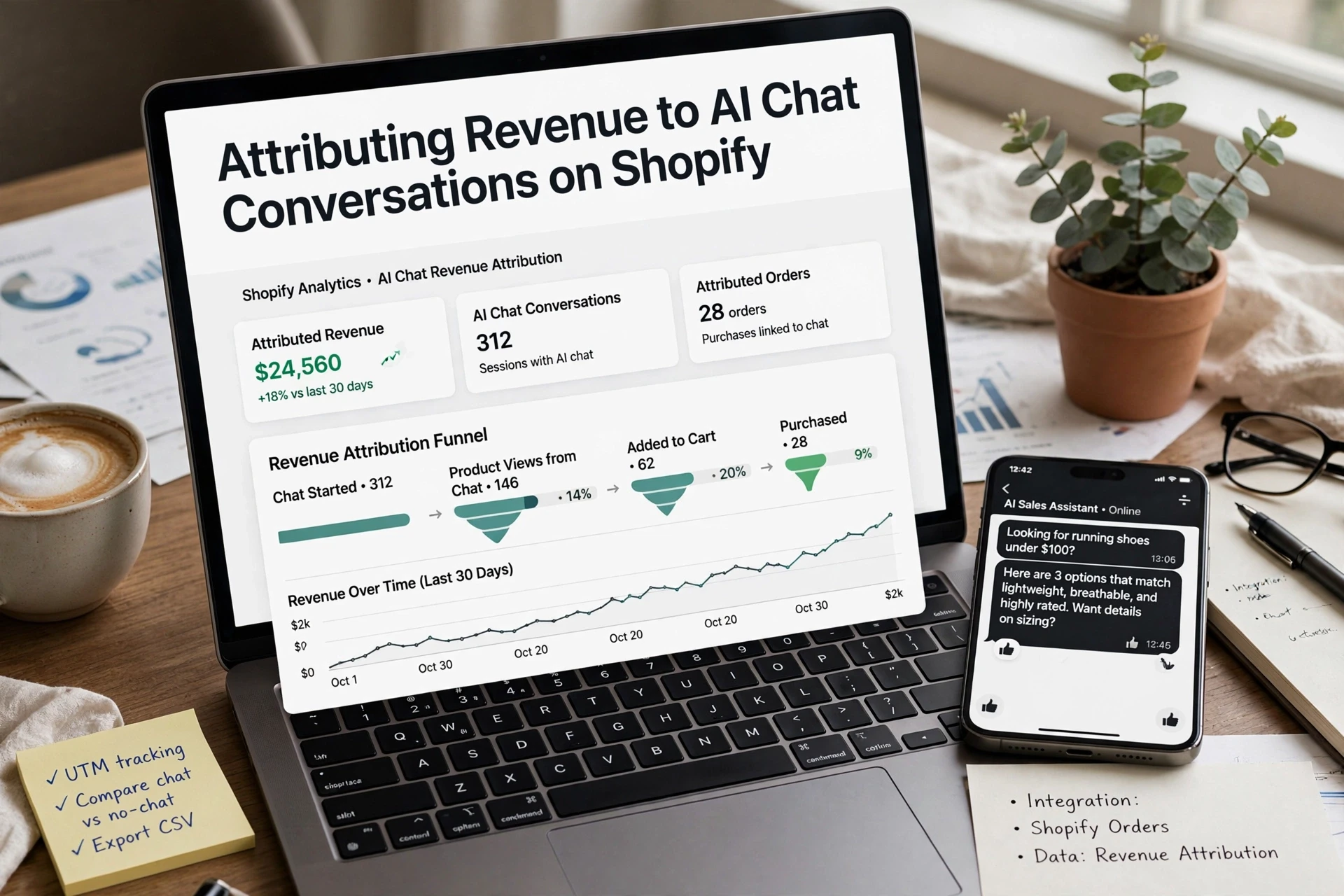
Quick Summary: Shopify needs UTM-tagged chat links and matching session data to credit AI chat conversations with revenue. Tag each chat with a session ID, cart token or customer email, timestamp, and source, then match chats to orders within a fixed window such as seven days and reconcile the results monthly against Shopify’s sales by traffic source report. Keep attributed revenue, influenced revenue, and unverified correlation separate, and subtract refunds to avoid overstating chat performance.
Your widget logs 42 conversations, 9 end in a purchase, yet Shopify's sales report credits those orders to direct or email. That gap is the core problem of Shopify revenue attribution: without Shopify chat tracking, you cannot tell whether chat produced revenue or just appeared before it. This guide walks through a chat-specific setup inside your Shopify admin, then shows which numbers prove attribution and which only suggest influence.
Step 1: Define the Attribution Model Before You Pull Numbers
Pick one number and write it down before you touch any report. For most stores that is attributed revenue: orders where the chat session was the last touch before checkout. If you also track influenced revenue (chats that touched the path but did not get the last click), label the two separately or your Shopify revenue attribution reports will mix proven and probable numbers.

- Pick the metric: last-touch attributed revenue in dollars.
- Define the window: a purchase within 7 days of the chat counts.
- Write it where your team can see it.
Why a chat session is not automatically a Shopify channel
Shopify's sales by traffic source report only credits sessions it can see and tag. Chat conversations happen inside your widget, so without tagging, those orders fall into direct or email, like the 42 conversations and 9 purchases sitting unattributed in your export. A dedicated conversion tracking guide covers the full tagging path.
Step 2: Instrument the Chat Session So It Can Be Matched to an Order
The four fields you need on every chat session
To make Shopify revenue attribution work, each chat session must capture four fields:
- Session ID from the widget
- Cart token or customer email
- Timestamp of the chat start
- Attribution source shown at checkout
These let you match an order to the exact conversation that produced it.
Tag chat-sourced visits with UTM parameters
Add UTM parameters for chatbot sessions to every link your widget shares. A link like ?&utm_medium=assistant&utm_campaign=pdp-reco tells Shopify the visit came from chat, not direct traffic. Those orders then show up correctly in the sales by traffic source report in your Shopify admin, so you can see conversion rate by channel without spreadsheets.
Step 3: Pull the Numbers and Reconcile Them With Shopify Orders
The three Shopify data sources to pull
| Report or Export | Where It Lives | What It Shows |
|---|---|---|
| Sales by traffic source | Admin > Analytics > Reports | Which channel Shopify credits each order to |
| Order export | Admin > Orders > Export | Order date, total, customer email |
| Customer journey | Order page > Customer journey | Sessions before checkout, including UTM parameters |

Join the chat export to the order export
Export your chat conversations with email addresses and timestamps. In a spreadsheet, match each order to the most recent chat within your 7-day window. Count a sale as chat-attributed only when Shopify's traffic source or UTM tags agree; count the rest as influenced, not attributed. The gap between those two numbers is normal, because some shoppers open the chat on one device and buy on another.
Common Mistakes That Distort Chat Revenue Reports
Reporting errors and how to avoid them
Attributed revenue is the credit your tracking gives a chat as the last touch before purchase. Influenced revenue includes orders where a chat played a part but another channel closed the sale. Mixing them is the biggest error, and it makes results look stronger than they are. Other pitfalls: changing attribution models mid-month, ignoring refunds, counting self-service orders that came from order-tracking chats, and skipping your order export check. Match your chat numbers against Shopify's sales by traffic source report monthly, and label anything unverified as correlation, not lift.

Stop letting chat orders hide in direct traffic. See how Kandid's AI sales agent for Shopify tags chat revenue, then set up your attribution today.
Frequently Asked Questions
Q1: How do I attribute Shopify revenue to AI chat conversations?
Tag every chat link with UTM parameters, then match your chat export (session ID, email, timestamp) against the order export. Count a sale as attributed when Shopify's tags agree; the rest is influenced revenue.
Q2: How does Shopify conversion tracking work for chatbot sessions?
Shopify credits orders using session data and UTM parameters for chatbot sessions. Untagged chat visits fall into direct traffic, so widget links need utm_source=ai-chat style tags to appear in the sales by traffic source report.
Q3: How do I set up AI chatbot revenue attribution in Shopify Analytics?
Use Shopify Analytics reports plus order export and customer journey data. Keep a 7-day window, join chat sessions to orders in a spreadsheet, and reconcile monthly against the sales by traffic source report.
Q4: Should I count refunds in chat-attributed revenue?
Yes. Subtract refunded orders so your attributed revenue matches what Shopify reports, or your numbers will overstate actual chat results.
Conclusion
Shopify revenue attribution for chat comes down to three habits: tag chat links with UTM parameters, join chat sessions to orders using your order export, and reconcile monthly against the sales by traffic source report. Label attributed versus influenced revenue separately, and treat anything unverified as correlation, not proven lift.