How to Design Ecommerce Chatbot Flows for Product Returns
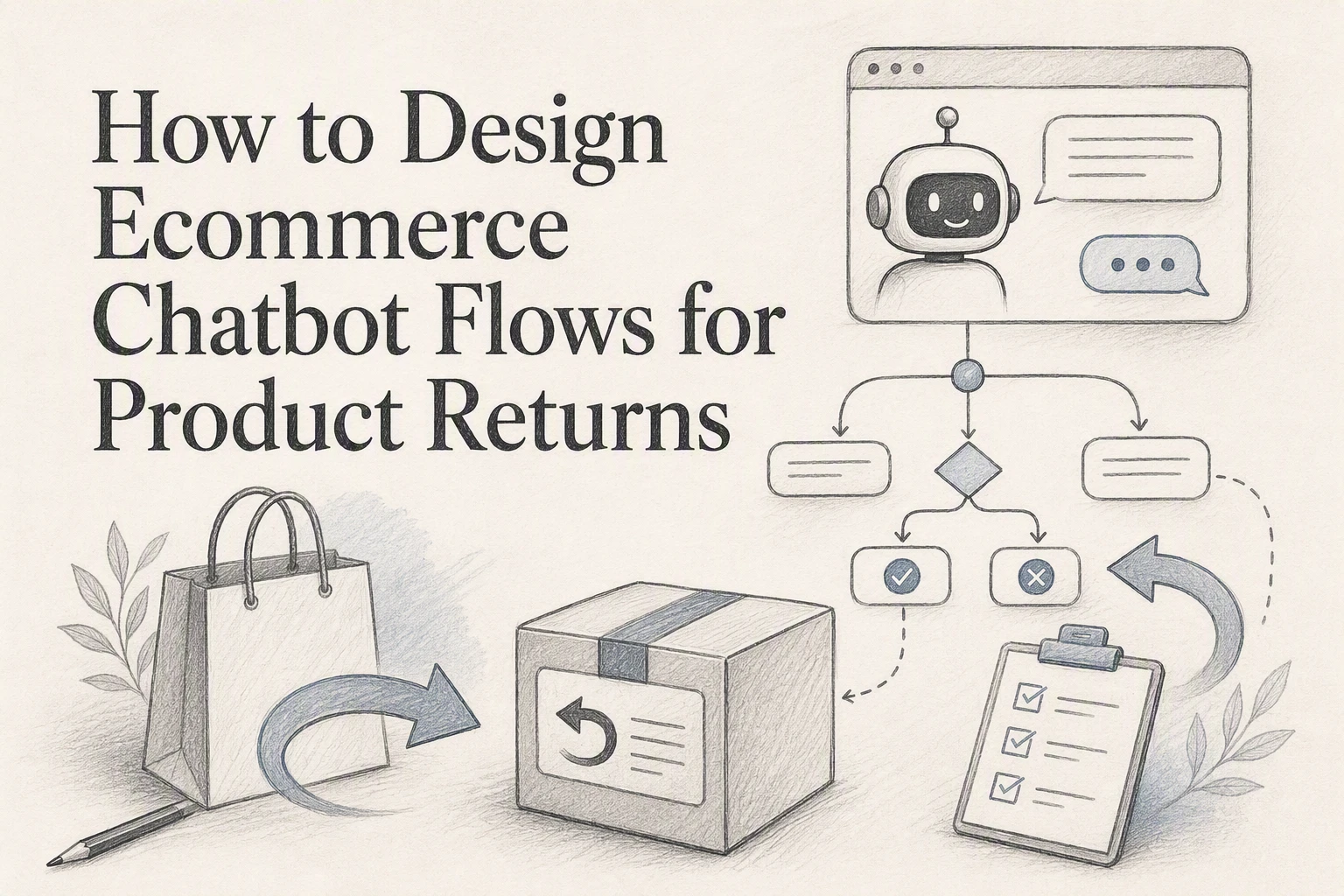
Quick Summary: Design return chatbot flows that verify the order first, then branch by policy rules (window, final sale, damage) to avoid false promises. Automate only low-risk cases like standard returns, while routing damaged items, disputes, and refund exceptions to humans. Log every decision and test edge cases before launch, tracking handoff and repeat-contact rates to refine the flow. Shopify teams should surface return deadlines, fees, and refund methods clearly, as FTC guidance advises.
A shopper wants to return two items, but one was final sale. Your bot must verify the order, split eligible items, and avoid a false refund promise. Ecommerce chatbot return flows turn policy rules into safe, clear steps. This guide shows how to build ecommerce chatbot return flows with order checks, branching logic, human handoffs, and audit-ready records. It is built for Shopify teams that need accurate returns at scale.
Step 1: Translate Your Return Policy into Decision Rules
Define the Required Inputs
Build ecommerce chatbot return flows around facts, not free-text claims. Ask for:
- Order number and email
- Item, delivery date, and return reason
- Item condition and photo proof, if needed
- Whether it is final sale or a bundle
Verify the order before showing refund or label options. This keeps decisions auditable.
Write If-Then Outcomes
Turn each policy line into a clear branch.
| If | Then |
|---|---|
| Order is within the return window | Offer a return label |
| Item is final sale | Explain the exclusion and offer human help |
| Item arrived damaged | Collect photos and route to support |
| Order is not found | Ask for a corrected order number |
For unshipped orders, the FTC requires sellers to offer delay consent or cancellation with a prompt refund when promised shipping cannot be met, as FTC guidance explains.
Also Read: How Kandid Enhances Customer Support with Live Chat & AI Chatbots
Step 2: Build the Customer Qualification and Routing Flow
Verify the Order Before Showing Details
Ask for the order number and the email or ZIP code used at checkout. Match both against Shopify before sharing item, address, or refund details. The FTC advises shoppers to keep purchase records, so your flow should make retrieval simple and secure. FTC guidance
Tip: If verification fails twice, route to a human. Never reveal order data to an unverified visitor.

Branch by Reason and Desired Outcome
After verification, present short choices:
| Customer reason | Bot action |
|---|---|
| Wrong size or color | Offer exchange or return label |
| Damaged or faulty | Request photos and route for review |
| Changed mind | Check return window and item status |
| Order never arrived | Check tracking and escalate |
Ask what they want: refund, exchange, or store credit. Log the chosen path, policy result, and handoff reason. Keep damage claims and delivery disputes out of auto-refund rules.
Also Read: Ultimate Guide to Live Chat & AI Chatbot Integration Strategies
Step 3: Connect Each Approved Path to a Concrete Action
Complete the Standard Return Path
For an eligible order, the bot should do more than say “approved.” It should:
- Create the return request.
- Send the correct return label or instructions.
- State the refund method and expected timing.
- Save the order ID, reason, and approval decision.
The FTC advises shoppers to check return deadlines, shipping costs, and restocking fees, so surface those rules before confirmation in your flow. Read the FTC guidance.

Apply Guardrails to Refunds and Exchanges
Automate only low-risk cases. Route these to a human:
- Damaged, used, or high-value items
- Requests outside the return window
- Refunds without carrier scan confirmation
- Exchanges with no stock available
Tip: Never let the bot alter a refund amount or issue goodwill credit without a clear rule.
| Approved path | Bot action |
|---|---|
| Standard return | Create request and send label |
| In-stock exchange | Reserve item and start exchange |
| Exception | Open support ticket |
Also Read: Live Chat & AI Chatbot Comparison: Which Boosts Customer Engagement?
Step 4: Test, Escalate, and Improve the Flow
Test Normal and Edge Cases
Run test chats before launch. Check a standard eligible return, then test:
- An order outside the return window
- A final-sale item
- A missing order number
- A damaged or wrong item
Confirm the bot verifies identity and routes exceptions to an agent. NIST recommends testing both intended use and misuse cases in AI systems. NIST guidance
Never let the bot approve refunds when order data is unclear.
Measure Resolution Quality
Track resolution rate, agent handoff rate, repeat contacts, and wrong-policy answers each week. Review failed chats by return reason, then update rules or bot language.
| Signal | What it reveals |
|---|---|
| Repeat contacts | The answer or next step was unclear |
| Agent handoffs | A rule needs human review |

Turn return questions into confident next purchases. See how Kandid guides shoppers with clear, catalog-aware answers.
Frequently Asked Questions
Q1: How should ecommerce chatbot flows handle product returns?
Verify the order, check eligibility, explain the next step, and create a clear handoff for exceptions. Never approve refunds automatically when fraud signals, damaged-item claims, or policy conflicts need human review.
Q2: Should customers log in before starting a return?
Yes. Authenticate with email, order number, or a secure link before showing order details. This protects customer data and prevents someone from starting returns for purchases they do not own.
Q3: Which return cases need a human agent?
Route disputes, missing orders, damaged goods, repeat return patterns, and requests outside the policy window to an agent. The bot should capture photos, reasons, and order details first.
Conclusion
A strong return flow verifies the shopper, checks policy rules, records each choice, and routes exceptions to people. Clear refund terms matter: the FTC says stores should disclose return deadlines, fees, and refund options.