Ecommerce Chatbots: Build a Better Returns and Refunds Experience
Quick Summary: A returns chatbot should answer policy and status questions while your backend, like Shopify's self-serve returns, actually processes the refund. Keep refund approvals with your team, offer a human handoff when a request falls outside policy, and measure resolution rate rather than ticket deflection. Kandid, built for Shopify, is cited as a storefront option that keeps these conversations on-site and hands tricky cases to staff.
A shopper who asks "Has my refund been issued?" should not have to dig through an inbox, repeat an order number, and then learn the chat cannot see the return record. Most teams treat ecommerce chatbot returns and refunds as ticket deflection. This guide takes a different view: the bot handles answers, your backend handles execution. We built Kandid for Shopify, so these pages lean on storefront-specific detail, not theory.
What a Returns and Refunds Chatbot Can Do
From Policy Questions to Return Status
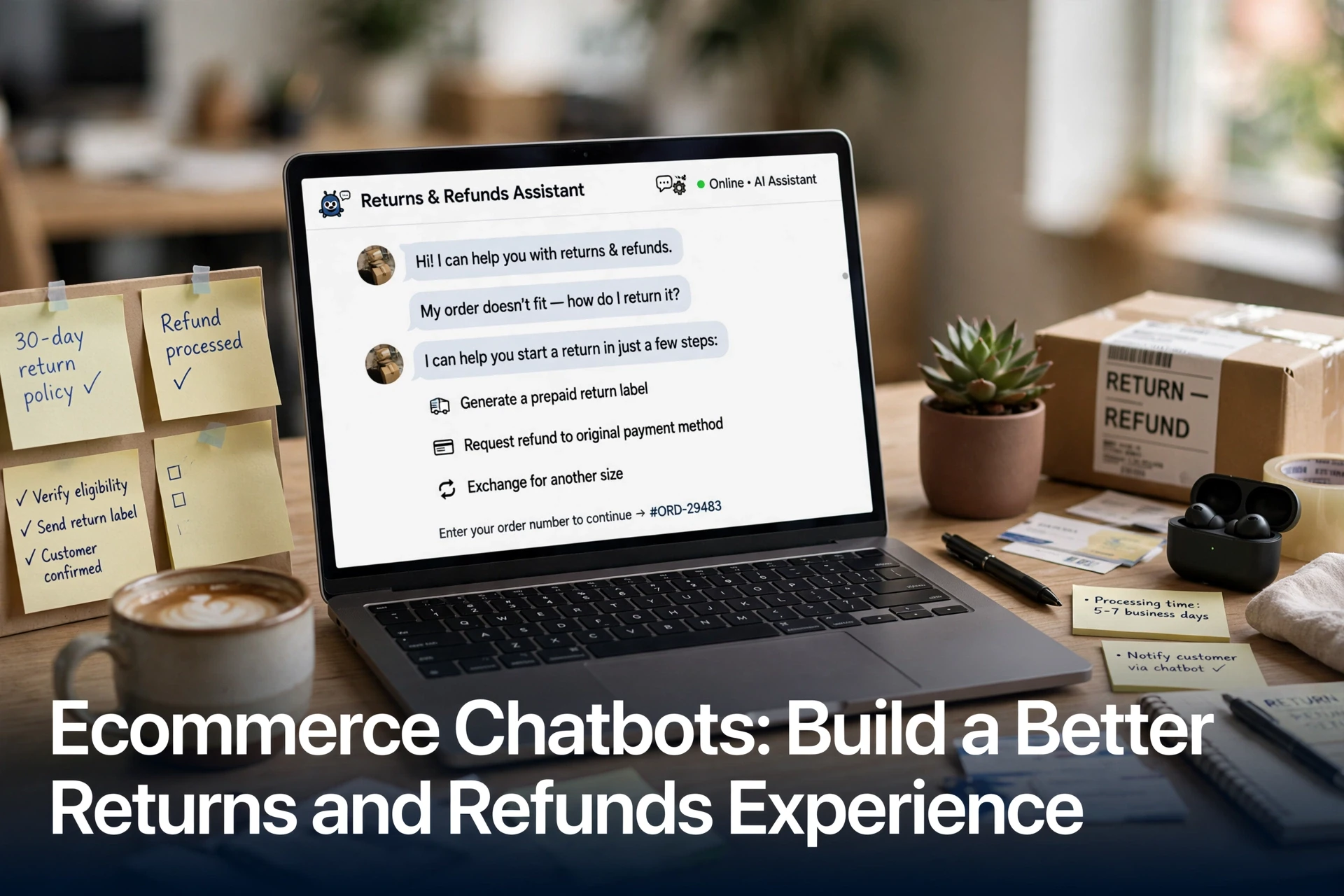
A returns and refunds chatbot handles the two questions shoppers ask most: "Can I return this?" and "Where is my refund?" It answers policy questions instantly, using the exact rules you set, and checks return status by pulling order data from your store.
Most setups follow the same flow. The customer enters an order number, the bot confirms eligibility, then either starts the return or explains why the item doesn't qualify. Good bots also handle exchanges, store credit offers and refund timelines without a human.
The line to watch: answering questions is different from executing returns. A chatbot can explain policy and track status, but label printing, refund processing and inventory updates usually need backend tools like your helpdesk or returns platform.

For Shopify stores, a purpose-built ecommerce chatbot keeps these conversations on your storefront instead of burying them in an inbox.
Design a Clear, Customer-First Returns Journey
Customers judge your store by how easy the returns path is, not by the policy document. A good ecommerce chatbot returns and refunds flow starts with plain answers: what can come back, by when, and how the refund lands. Put those options in front of the shopper in the first reply.
Make Options and Escalation Obvious
When someone starts a return, the bot should present every path at once: refund to the original payment method, store credit, or an exchange. Show the deadline and any restocking fee before they commit, not after.
If the request falls outside policy, say so plainly and offer a human within the same chat. Silent dead ends push shoppers to chargebacks. A chatbot with a clean human handoff setup keeps the conversation moving instead of losing the sale and the customer.

Draft the reply once, then test it: ask a teammate to start a return cold and note every point of confusion.
Connect the Chatbot to Shopify and Returns Operations
Know Where Shopify's Self-Serve Returns Fit
Before wiring any bot, know what Shopify already does. Its native self-serve returns and cancellations lets customers submit return or cancellation requests from their order status page, which you then approve or decline in admin. This is the execution layer for ecommerce chatbot returns and refunds workflows.
The chatbot handles the conversation layer. It answers policy questions, checks eligibility, and points shoppers to the right entry point instead of filing tickets. Note the native limits: it requires new customer accounts, doesn't support exchange requests, and caps requests at 250 line items per order, per Shopify's setup guide.
Set return rules, return windows, and final-sale products in Shopify admin first. Then train the chatbot to state those same rules accurately.
![Shopify tutorial: A complete walkthrough of the new Self-Serve Returns [New in Shopify]](
)
Measure Resolution and Improve the Experience
Track whether the bot actually closed each returns ticket, not just how many chats it handled. Count a chat as resolved only when the customer confirms, or when a return is created and no follow-up arrives within 48 hours. Compare that rate against your escalation rate to catch gaps.
Watch three numbers weekly:
| Metric | Target signal |
|---|---|
| Resolution rate | Rising as you add policies |
| Escalation rate | Falling, with clean handoffs |
| Repeat contacts | Fewer chats about the same return |
Review unanswered questions every week. Where the same confusion repeats, fix the source: a vague policy page or missing order data. Our guide on tracking resolution and escalation rates walks through the setup.

Returns questions don't have to flood your inbox. See how Kandid answers them instantly, then hands tricky cases to your team.
Frequently Asked Questions
Q1: How can ecommerce chatbots improve the returns and refunds experience?
They answer policy questions instantly, start return requests, share tracking updates and escalate unclear cases to humans, cutting wait times.
Q2: Should a chatbot approve refunds automatically?
No. Keep refund approvals with your team or set strict rules.
Q3: Do chatbots work with Shopify returns?
Most platforms sync with Shopify order data, so check each app's returns support before committing.
Conclusion
Returns run well when the chatbot explains the policy and the backend executes the refund. Pick a tool that handles both, keep humans in the loop for edge cases, and measure resolution, not ticket deflection.