Ecommerce Chatbot Analytics: Track Resolution and Escalation Rates
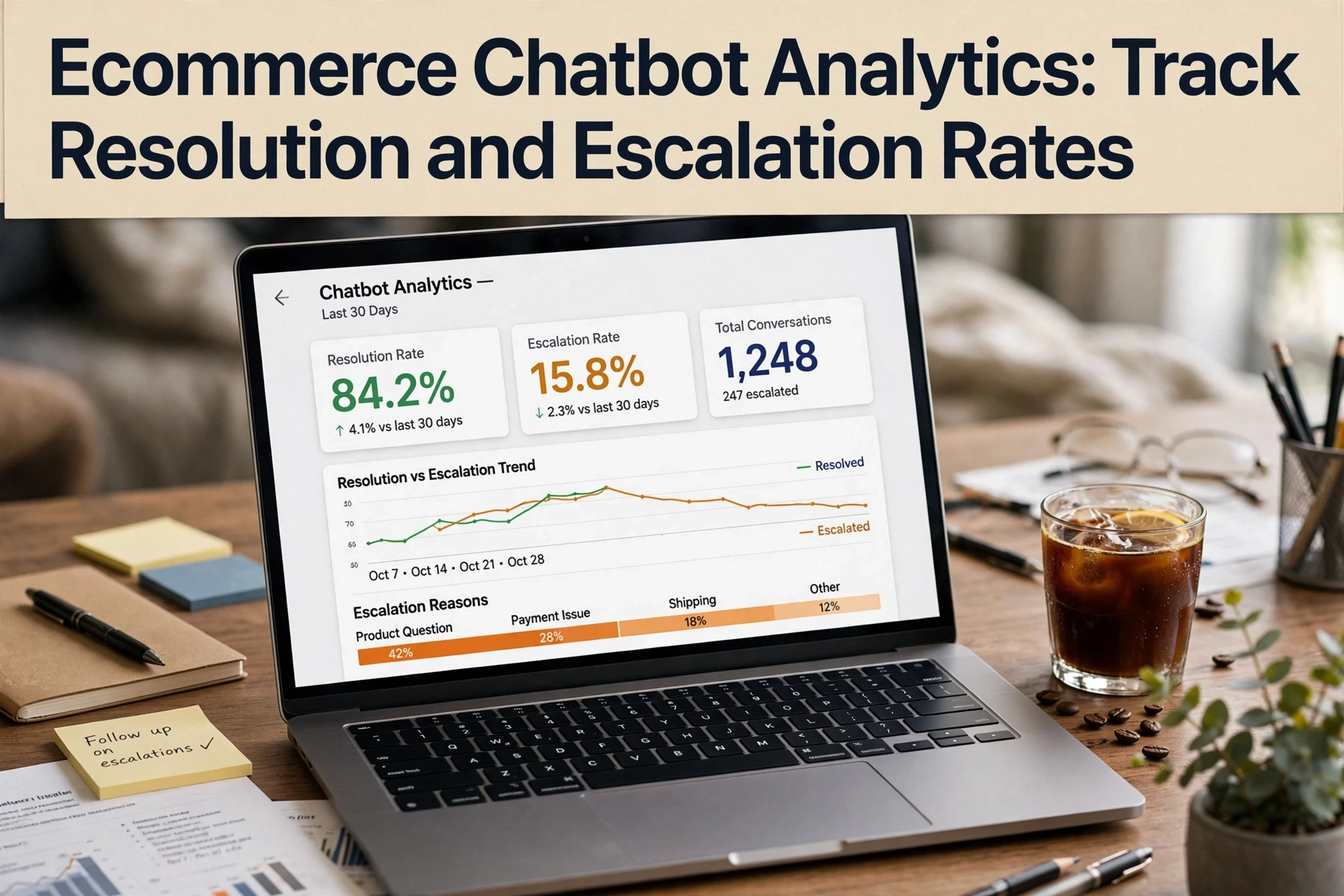
Quick Summary: Ecommerce chatbot dashboards often inflate resolution rates by counting silent ends as wins, so only count a chat as resolved when the customer confirms or takes action. Track escalation as a routing outcome, not a failure, and pair efficiency metrics with quality ones like silent abandonment and repeat-contact rate. Diagnose patterns carefully, since high containment with rising repeat contacts means customers gave up, not got helped. Run a weekly 30-minute review loop to fix top gaps, which pushes resolution rates far higher than skipping it.
Your Shopify chatbot closes an order-status chat after sending a tracking link. Then the customer opens a second chat because the link never explains the missed delivery. That first conversation looks complete, but it was not resolved. This is the gap ecommerce chatbot analytics has to catch. This guide shows you how to separate real resolutions from silent abandonment, track escalation quality, and read your chatbot's numbers the way a support lead would.
Define Resolution and Escalation Before You Measure Them
Most chatbot dashboards inflate their numbers. A session counts as "resolved" when the bot sends a final message, even if the shopper left frustrated. Before trusting any ecommerce chatbot analytics, pin down what resolution actually means for your store.
Use a Resolution Definition That Requires Evidence
A chat is only resolved when the customer confirms the answer or takes the action you wanted. Track four tiers:
- Confirmed resolution - customer replies "thanks, got it" or completes checkout.
- Action-based resolution - order tracked, return started, product added to cart.
- Silent end - no reply after the answer. Ambiguous.
- Abandonment - customer drops off mid-question. Not a resolution.
Example (hypothetical): a UK skincare brand counted silent ends as wins. Its real resolution rate was 40%, not the 78% the dashboard showed.
Treat Escalation as a Routing Outcome, Not a Failure
Escalation to a human is healthy when the bot hits its limit fast. The failure is escalating late, or sending a customer in circles first. Measure two things: how quickly the handoff happens, and whether the agent receives full chat context. A well-routed escalation often saves the sale - and a platform like Kandid passes order and product data with the handoff so agents start warm.
Also Read: Shopify Chatbot Human Handoff: Setup, Routing, and Escalation Guide
Build a Balanced Chatbot Workflow Scorecard
Speed and cost look great on a dashboard while customers quietly give up. A good scorecard pairs every efficiency number with a quality number, so a drop in handle time never hides a drop in helpfulness. Use a simple table like this:
| Efficiency metric | Quality pair |
|---|---|
| Resolution rate | Silent abandonment rate |
| Escalation rate | Escalation accuracy (right routing, right context) |
| Median response time | Post-chat CSAT or complaint rate |
| Automation share | Repeat-contact rate within 7 days |

Pair Efficiency Metrics With Quality Metrics
- Pick two or three metric pairs, not twenty.
- Set a target for each, like 75% resolution with under 3% silent abandonment.
- Flag any pair that moves in opposite directions for review.
Use a Fixed Review Cadence
Check the scorecard weekly for volume shifts and monthly for trends. After any bot or flow change, run a focused review within 48 hours. Keep one owner per metric so nothing drifts.
Also Read: How to Measure Ecommerce Chatbot Revenue Attribution
Diagnose What Resolution and Escalation Patterns Mean
Raw numbers hide problems. The gap between resolution, containment, and escalation tells you what is actually broken. Zendesk notes that a resolution only counts when the issue is handled end to end, with no follow-up or human needed - their measurement guide is a good reference for defining "resolved" strictly.
When Resolution Is Low and Escalation Is High
Your bot lacks the knowledge or permissions to finish tasks. Check which intents fail most - usually order status, returns, or refunds. Fix the top three before touching anything else.
When Resolution and Containment Are High but Repeat Contacts Rise
This is the dangerous one. Customers gave up, not got helped. The bot closed chats without confirming the answer worked, so the same shoppers return by email.
When Escalation Is High but Satisfaction Improves
Good news. The bot routes hard cases to humans early. Rising CSAT with higher escalation means the handoff logic works. Per guidance on escalation design, correct handoffs beat zero handoffs.
Also Read: Ecommerce Chatbot Product Recommendations and Add-to-Cart Setup Guide
Turn the Report Into a Weekly Improvement Loop
A report that nobody acts on is just decoration. Block 30 minutes each Monday and run a simple loop: review last week's resolution and escalation numbers, read the 10 lowest-rated conversations, and list the top escalation reasons. Each recurring reason is a gap in your bot's knowledge base or a missing workflow. Fix three to five items per week - update an answer, adjust an escalation trigger, add a missing FAQ. Teams that skip this coaching loop tend to plateau around 50% automation, while weekly tuning pushes resolution rates far higher over time. Check the trend the following Monday to confirm the fix worked.

Start tracking your chatbot's resolution and escalation rates today. Kandid gives Shopify teams the visibility to spot silent abandonment fast.
Frequently Asked Questions
Q1: Which ecommerce chatbot metrics reveal support workflow quality?
Track resolution rate, escalation rate, and silent abandonment. High resolution plus low abandonment shows your chatbot actually solves problems, not just deflects tickets.
Q2: What is a good escalation rate for a Shopify chatbot?
Aim for 20-30% or lower. But treat escalation quality as a signal: a smooth handoff to a human with full chat context beats a low rate caused by confused shoppers giving up.
Q3: How often should I review chatbot analytics?
Weekly for quick checks on resolution and abandonment. Monthly for trends, top unanswered questions, and intent gaps that need new training content or flows.
Q4: Why is silent abandonment worse than escalation?
Silent abandonment means a shopper left without an answer, so you lose the sale and learn nothing. Escalations at least surface real problems your team can fix.
Conclusion
Resolution rate, not raw containment, tells you if your chatbot actually helps. Track escalations as a quality signal, review them weekly, and fix gaps fast - industry data shows containment can hide silent abandonment while true resolution drives the savings.