Shopify Chatbot Human Handoff: Setup, Routing, and Escalation Guide
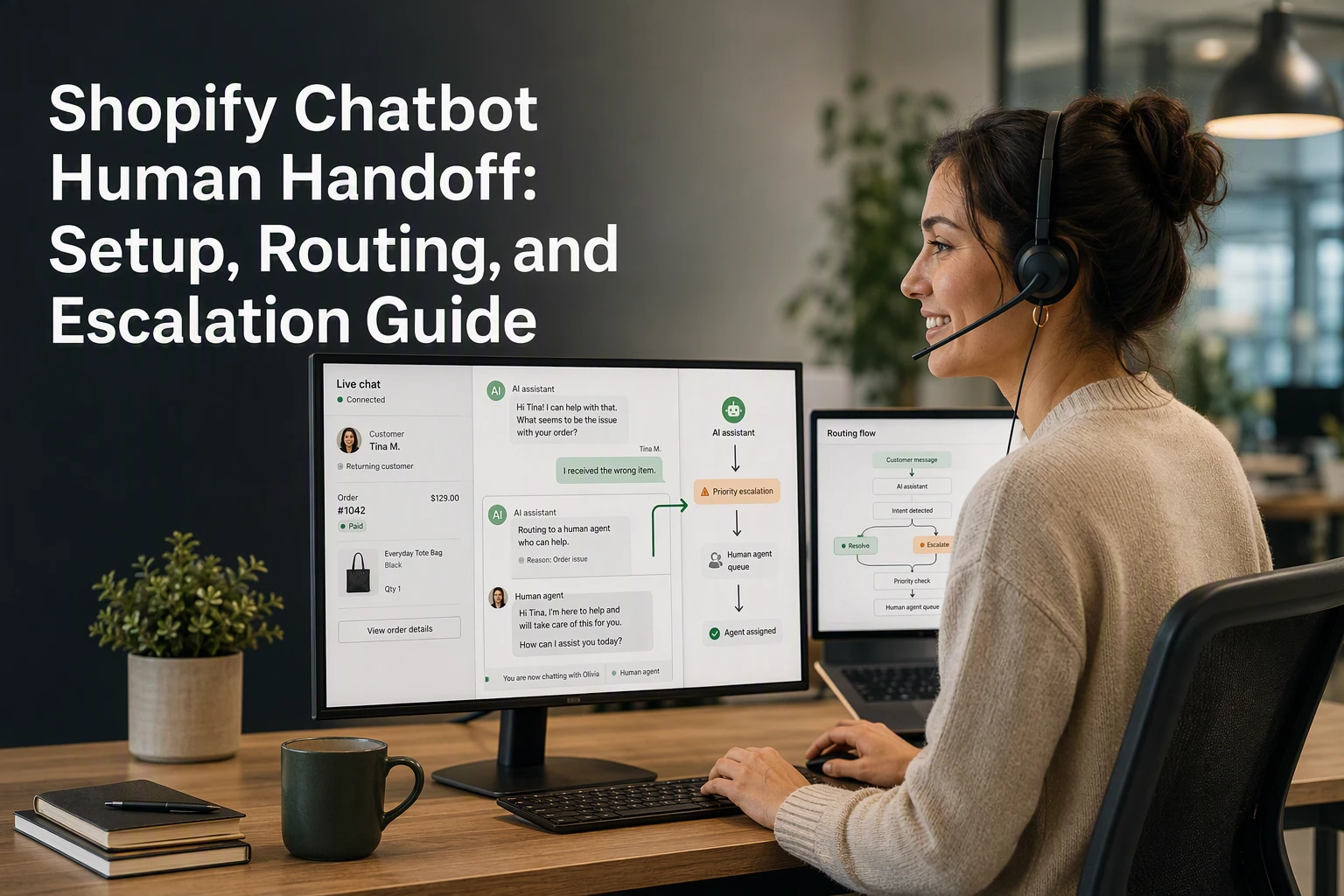
Quick Summary: Set clear rules for when your Shopify chatbot hands off to a human, focusing on exceptions like refunds, delivery failures, or angry messages, while letting the bot handle routine lookups. Pass full context (order number, chat history, intent) to the right team, and test failure paths before launch. Review handoffs weekly by tracking routing accuracy, response time, and repeat contacts, then tighten triggers based on failed cases. Never let the bot guess on refunds or payment issues, always escalate those to a person.
A shopper asking, “Where is my order?” may only need a tracking link. “It says delivered, but I do not have it” needs a faster queue and often a person. A strong Shopify chatbot human handoff sets those rules before support breaks down. This guide covers routing, context transfer, escalation triggers, and quality checks for a reliable Shopify chatbot human handoff. Use it to build a Shopify chatbot human handoff your team can own.
Step 1: Define What the Shopify Chatbot Can Resolve
Keep Routine Lookups in the Automated Flow
Let the bot handle clear, low-risk requests:
- Product size, fit, ingredients, or stock
- Shipping policy and delivery estimates
- Order status and tracking links
- Return policy steps
Shopify lets customers check shipment updates through the order status page once tracking is added, as explained in Shopify's order tracking guide.

| Bot resolves | Send to a person |
|---|---|
| Tracking link | Lost parcel claim |
| Product facts | Refund dispute |
| Policy answer | Damaged item |
Escalate Exceptions Before They Become Loops
Set a handoff rule for:
- A failed lookup or missing order data.
- Two repeated questions.
- Angry, urgent, or fraud-related language.
- Changes to an address after shipment.
Never let the bot guess about refunds, delivery failures, or payment issues. Pass the chat, order number, and prior messages to the right owner.
Also Read: 7 AI Sales Agents With Human Handoff for Complex Purchases
Step 2: Configure the Handoff Payload and Routing Rules
Pass the Context an Agent Needs
Send a compact handoff payload so shoppers never repeat themselves:
- Chat summary and intent
- Order number, fulfillment and payment status
- Products viewed, cart contents, and device or market
- Bot actions already taken
Shopify order details can include different payment and fulfillment states, so pass the exact status rather than a vague "order issue." See Shopify's order status guide.

Share only data the agent needs. Customer data should have a clear support purpose.
Route by Issue, Not Just by Channel
Set rules based on the work required.
| Trigger | Route to | Priority |
|---|---|---|
| Delivery delay | Order support | Normal |
| Refund request | Returns team | High |
| Payment dispute | Senior support | Urgent |
| Product fit question | Sales advisor | Normal |
- Tag the conversation with the issue type.
- Assign an owner and backup queue.
- Set a reply-time target.
- Test each route with a sample order.
Also Read: Ecommerce Chatbot Setup Guide for Shopify Catalog and Storefront Sales
Step 3: Test Normal, Failed, and High-Risk Conversations
Run the Five Essential Test Cases
Test before launch. NIST notes that AI evaluation should match your own goals and risks, not a generic scorecard. NIST's AI risk framework supports this risk-based approach.
- Ask a normal product question.
- Request order tracking with a valid order number.
- Use a missing or invalid order number.
- Ask for a refund, complaint, or urgent delivery change.
- Try prompt injection or requests for private data.
| Test | Pass condition |
|---|---|
| Failed lookup | Bot explains the next step and offers handoff |
| High-risk request | Bot routes to a human without guessing |
Warning: Never let the bot invent order status, refund approval, or policy exceptions.
Check the Customer and Agent Experience Separately
Review the transcript as a shopper, then as the agent receiving it. The shopper needs a clear wait message. The agent needs the conversation, order details, intent, and bot actions.
- Check the handoff button works on mobile.
- Confirm the correct team owns the ticket.
- Time a response during real support hours.
Also Read: Shopify Chatbot vs Live Chat: Which Converts More Shoppers?
Step 4: Measure Handoff Quality and Improve the Rules
Review handoffs weekly. Track whether the bot sent the right issue to the right owner, with enough context to act.
| Check | What good looks like |
|---|---|
| Response time | An agent accepts the chat within your stated service window |
| Context kept | Order number, chat history, and reason transfer with the case |
| Routing accuracy | Refund, delivery, and product issues reach the correct team |
| Repeat contacts | Fewer shoppers return because the first handoff failed |
- Tag failed handoffs by cause: wrong route, missing order data, or no agent available.
- Review five transcripts per tag and tighten the trigger rule.
Test checkout handoffs on mobile too. Shopify notes that chat can cover key checkout controls if sized poorly, creating a confusing support experience. Read Shopify's chat UX guidance

Set up clearer shopper support with Kandid, combining AI answers, product guidance, and live-chat handoffs for your Shopify team.
Frequently Asked Questions
Q1: Which Shopify chatbot supports order tracking and human handoff?
Choose a chatbot that reads Shopify order status and sends the full chat history to an agent. Test tracking links, failed lookups, and agent alerts before launch.
Q2: When should a chatbot escalate to a human?
Escalate for refunds, damaged orders, angry messages, payment issues, or repeated failed answers. Route sales questions to sales staff and delivery issues to support.
Q3: What context should agents receive during handoff?
Include the shopper's name, order number, intent, chat transcript, items viewed, and bot actions. This prevents customers from repeating their problem.
Conclusion
A strong Shopify chatbot human handoff keeps order context, assigns clear owners, and triggers on defined risk signals. Test failure paths and review handoff quality often. Shopify’s Order status page supports order-specific customer context.