Ecommerce Chatbots: Organize Product FAQs for Faster Buyer Decisions

Quick Summary: Bad chatbot answers usually come from messy FAQ data, not a weak model. Start by mining 60-90 days of support emails, chat logs and zero-result searches, then tag every question by discovery, buying or post-purchase stage. Sort answers into six fixed buckets (specs, fit, care, logistics, pricing, troubleshooting) using a claim-evidence-next-step format, tie each FAQ to one source like catalog or policy data, and review monthly for price or stock changes. Tools like Kandid pull from that staged store content so answers stay current and shoppers decide faster. A shopper asks your chatbot whether a wallet fits her phone, gets a wrong answer, and leaves. Nine times out of ten, the model is fine; your FAQ data is a mess. To organize product FAQs for ecommerce chatbots, you need clear questions, short answers and clean product links. This guide shows how to organize product FAQs for ecommerce chatbots so buyers decide faster. It is written for Shopify and D2C operators, drawing on how tools like Kandid retrieve store content. Done well, you can organize product FAQs for ecommerce chatbots in a single afternoon.
Step 1: Audit the Questions Buyers Actually Ask
Most FAQ chaos starts with guessing. You write what you think matters, and buyers keep asking something else. So audit first, write second.
Mine Three Sources Before You Write a Single FAQ
Pull the last 60-90 days of customer support emails, live chat transcripts and product reviews. Add your store's search logs, since queries with zero results are unasked questions. This is raw demand data, not opinion. If your chatbot stores conversation history, export it too and sort by frequency.
Tag Every Question by Buyer Decision Stage

Now label each question with one of three stages: discovery (which product fits me?), buying (sizing, shipping, payment, returns) and post-purchase (tracking, exchanges). Returns and refunds questions cluster hard in stage two and three, and they deserve careful answers, so it helps to see how returns workflows map to chatbot content.
Stage tags tell you where your knowledge base is thin. Most stores find buying-stage questions outnumber everything else, which means missing size charts cost more sales than missing brand stories.
A chatbot like Kandid retrieves these staged answers from your store content, so the tagging pays off at setup.
Step 2: Group FAQs into a Clear Category Structure
Raw questions in one pile are hard for any bot to retrieve. Six categories fix that, and they cover almost every ecommerce query.
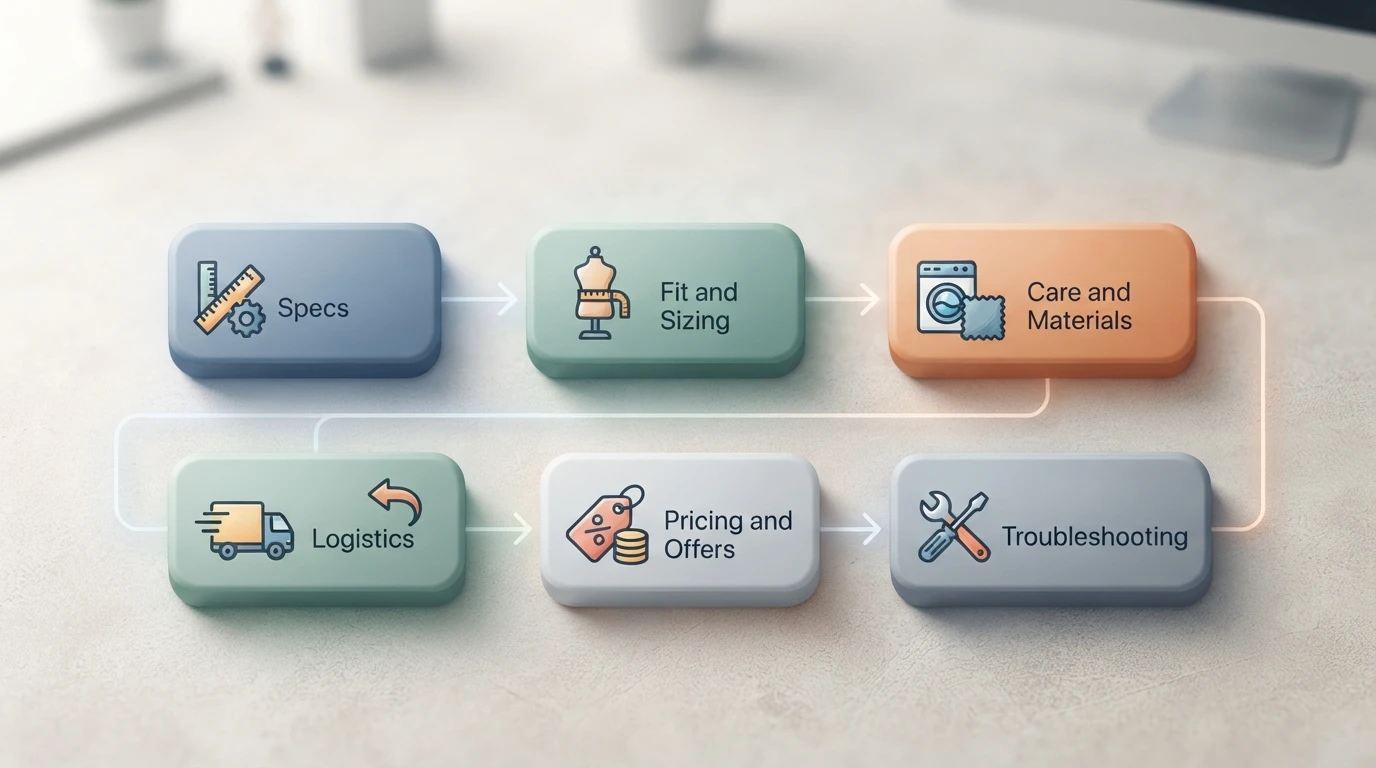
Use a Shared Skeleton: Specs, Fit, Care, Logistics, Pricing, Troubleshooting
Sort every question into one of six buckets: specs, fit and sizing, care and materials, logistics (shipping, returns, order tracking), pricing and offers, and troubleshooting. Keep the same six labels for every product so the bot builds a predictable pattern. Ambiguous questions get one primary bucket, not two.
Write Answers in the Decision Format: Claim, Evidence, Next Step
Each answer needs three parts. State the claim plainly ("This jacket runs true to size"). Add evidence (measurements, fabric weight, a review theme). Close with a next step ("Between sizes? Size up for layering"). This structure mirrors how buyers actually decide, and retrieval tools like a Shopify AI sales agent can lift each part separately when a shopper asks a follow-up.
Step 3: Connect FAQs to Products, Policies and Inventory
Map Each FAQ to a Source: Catalog, Policy Page or Live Data
Every FAQ needs one clear source of truth. Product questions like "does this run small?" point to your catalog data: specs, size charts and product descriptions. Policy questions such as returns or shipping times point to your policy pages, so the bot quotes one version and never contradicts your support team. Stock and delivery questions need live data from Shopify, not static text, because inventory changes hourly.
Tag each FAQ with its source, then note what happens when the source updates. If you edit a policy, does the bot refresh the same day? Tools like Kandid pull answers from your store content, so stale copy in one place shows up in every chat. Add an owner and a review date to each entry.
Internal link check: the returns pillar page fits "Policy questions such as returns", so I'll search for a fitting page.## Step 3: Connect FAQs to Products, Policies and Inventory
Map Each FAQ to a Source: Catalog, Policy Page or Live Data
Every FAQ needs one clear source of truth. Product questions like "does this run small?" point to your catalog data: specs, size charts and descriptions. Policy questions, such as returns or delivery times, should pull from a single source, so the bot never contradicts what your returns and refunds chatbot flow already promises customers. Stock and order-status questions need live Shopify data, not static text, because inventory changes hourly.
Tag each FAQ with its source, then decide what happens when that source updates. If you edit a policy, does the bot reflect it the same day? Add an owner and a review date to each entry, and re-test a sample of questions after every catalog or policy change.
Step 4: Review, Retire and Refresh FAQs on a Set Cadence
A Two-Tier Review Cadence Your Team Can Actually Run
Review product FAQs monthly: check for price changes, sold-out variants and shipping updates. Every quarter, read the transcripts again. Retire questions nobody asks, merge duplicates and refresh answers that shoppers misread. Small edits beat big rebuilds. If your chatbot logs unanswered questions, promote the recurring ones into formal FAQs so they stop slipping through.
Schedule the reviews like any other task. Abandoned FAQs drift out of date fast, and outdated answers cost sales.

Messy FAQs cost you sales. Once your product answers are clean and structured, Kandid can retrieve them instantly and help shoppers decide faster. See how the AI sales agent works.
Frequently Asked Questions
Q1: How should ecommerce teams organize product FAQs for chatbot answers?
Group every question into six fixed categories: specs, fit and sizing, care and materials, logistics, pricing and offers, and troubleshooting. Keep one primary bucket per question and write answers in the claim-evidence-next step format.
Q2: How often should I update my chatbot FAQs?
Check product FAQs monthly for price, stock and shipping changes. Reread transcripts quarterly, retire dead questions and promote recurring unanswered chats into formal FAQs.
Q3: Where should FAQ answers pull their data from?
Product questions should come from catalog data, policy questions from your policy pages, and stock or delivery answers from live Shopify data, never static text.
Q4: What should I do with questions my chatbot cannot answer?
Review unanswered logs weekly, answer the frequent ones manually first, then write formal FAQs so the same gap stops repeating.
Conclusion
Clean FAQs make your chatbot useful: audit real questions, group them into six fixed categories, map each answer to one source of truth, and refresh on a set cadence. For deeper setup detail, the ecommerce chatbots pillar covers the full picture.