Shopify AI Chatbots: Answer Shipping Questions Before Checkout
Quick Summary: Shipping questions drive most pre-checkout drop-offs on Shopify, so an AI chatbot has to answer them at the product page, cart drawer and checkout entry using exact carrier rates, zones, cutoff times and return policies pulled directly from store data. Setup follows three steps: map the core FAQ plus edge cases like split shipments and PO boxes, load accurate rate tables and free-shipping thresholds, then configure trigger points and a human handoff for anything the bot cannot confirm. Vague replies at the cart are worse than no reply, which is why Kandid's AI sales agent is positioned to keep shipping answers current with live cart data so shoppers buy with confidence.
A shopper adds a $120 jacket, reaches checkout, sees a $14 shipping fee and a 9-day delivery estimate, then leaves. The right Shopify AI chatbot answers shipping questions long before that moment. This guide shows where shipping questions surface, which Shopify AI chatbot trigger points to set on the product page, cart drawer and checkout entry, and what knowledge your bot needs to stay accurate. No guessing, no lost carts.
Step 1: Map the Shipping Questions Your Chatbot Must Answer
Most pre-checkout drop-offs start with one thing: a shopper who cannot confirm when their order will arrive. A Shopify AI chatbot shipping questions setup only works if you know exactly which questions it must answer, so list them before you touch any settings.
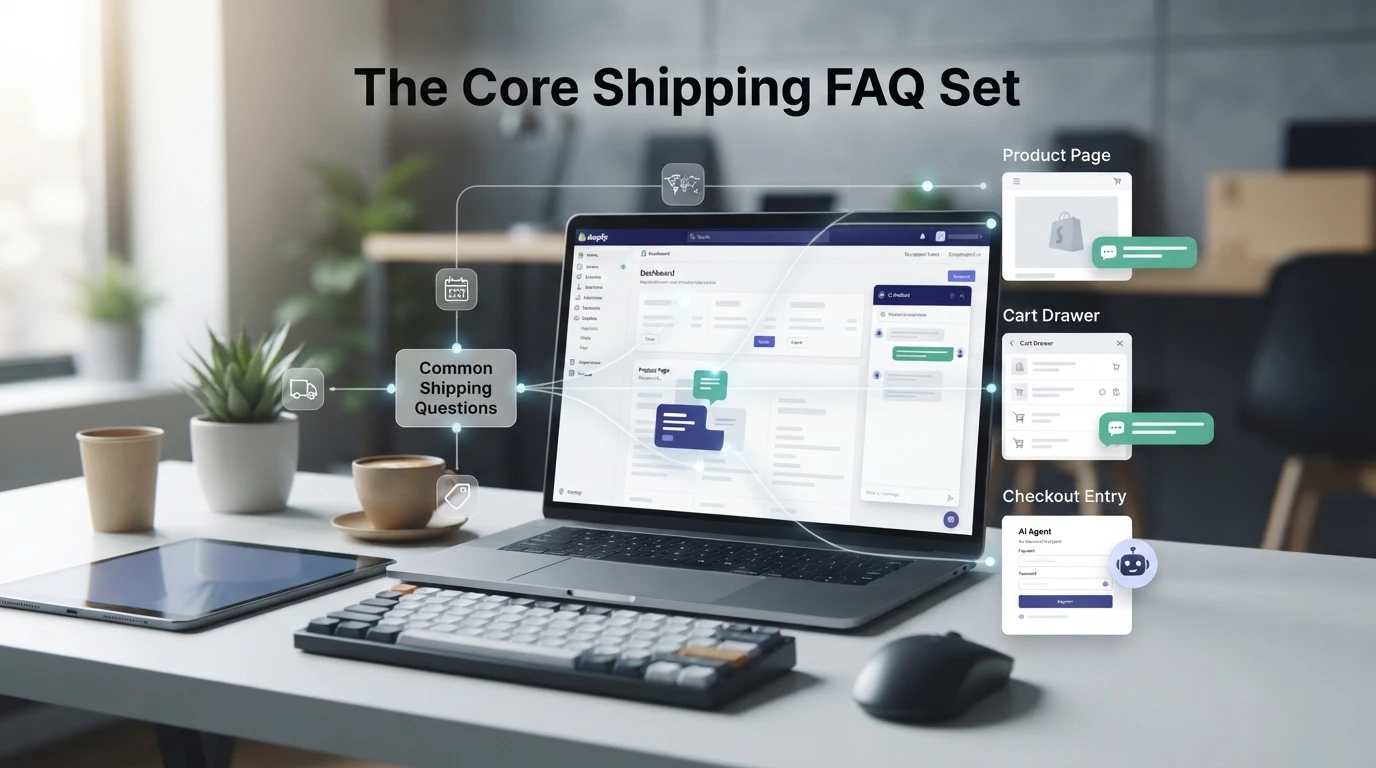
The Core Shipping FAQ Set
Start with the basics every buyer asks. Pull your top queries from support tickets and chat logs, then confirm the bot can answer each one from your store data.
| Question | What the bot needs |
|---|---|
| When will it arrive? | Delivery estimates by region and method |
| What does shipping cost? | Rates, thresholds and free-shipping rules |
| Do you ship to my country? | Serviceable regions and any exclusions |
| Can I track my order? | Tracking access and order lookup |
| What is your return policy? | Window, conditions and process |
Edge Cases That Need a Clear Answer or a Handoff
The core set is easy. Edge cases break bots. Decide in advance what happens with split shipments, PO boxes, express cutoff times, holidays and bad addresses. For each one, either write a firm answer or trigger a human handoff. A vague reply at the cart is worse than no reply, so audit these against your carrier rules before launch. This pairs well with choosing between an AI and rule-based bot.
Step 2: Load Your Shipping Knowledge into the Chatbot
Your Shopify AI chatbot shipping questions are only as good as the data behind them. A bot guessing at rates erodes trust faster than no bot at all, so feed it precise, current information before it ever talks to a shopper. Most Shopify AI chatbot shipping questions fall into two groups: cost and speed.
Carrier Rates, Zones and Cutoff Times
Start with a simple table your bot can draw from:
| Zone | Carrier | Rate | Delivery Window | Order Cutoff |
|---|---|---|---|---|
| US domestic | USPS Ground | $5.95 flat | 3-5 business days | 2pm ET |
| UK standard | Royal Mail | £4.50 | 2-4 business days | 1pm GMT |
| India metro | Blue Dart | ₹99 | 2-3 business days | 4pm IST |
List every zone you ship to, then add your daily carrier cutoff times. Include exceptions: no Saturday delivery, PO Box limits, or surcharges for remote areas. Update this data whenever rates change, or the bot will quote last year's pricing.
Free Shipping, Local Pickup and Same-Day Options
Document your thresholds exactly. If free shipping starts at $75, say so, and note whether it applies before or after discounts. For local pickup, list store hours, address and the wait time after ordering. Same-day delivery usually has a cutoff and a city list, so spell both out. Kandid's AI sales assistant pulls these details from your store data, so accuracy upstream pays off at checkout.
Step 3: Set Triggers, Wording and a Handoff Rule
Where Shipping Answers Should Fire
Match each question to the moment it blocks a sale. On the product page, trigger the bot when a shopper asks about shipping cost or delivery dates. In the cart drawer, answer "when will this arrive?" and combine-order questions. At checkout entry, only handle delivery windows and carrier options, since payment questions belong to support. Keep wording short and specific: state the cut-off time, the carrier and the region, not a vague "2-5 days".
When to Hand Off to a Human
Automate what your shipping data can answer. Escalate to a person when the bot cannot confirm tracking, a delayed order needs a decision, or the shopper asks twice. A clear human handoff rule prevents frustrated buyers from abandoning checkout.


Shipping questions cost you carts every day. Kandid's AI sales agent answers them at the product page, cart and checkout, so shoppers buy with confidence.
Frequently Asked Questions
Q1: How can a Shopify AI chatbot answer shipping questions before checkout?
It pulls carrier rates, delivery windows and policy details from your store data, then answers at the product page, cart drawer and checkout entry.
Q2: What information should I upload for accurate shipping answers?
Add shipping zones, carrier cut-offs, delivery estimates and return terms.
Q3: Does the bot trigger on every shipping question?
No. Set trigger points at the cart drawer and checkout entry so answers appear when hesitation actually happens.
Conclusion
Shipping questions kill sales when they arrive at checkout. Place accurate shipping answers at the product page, cart drawer and checkout entry, and feed your bot exact rates and cutoffs. An AI sales agent that stays current with cart data turns hesitation into completed orders.