Ecommerce Chatbots: Automate Order Status Questions Safely
Quick Summary: Automating order status inquiries requires secure Shopify API integration and strict identity verification to protect customer data. Kandid helps stores implement these systems by using read-only access and automated human handoffs for complex issues. This approach ensures shoppers receive instant updates while keeping sensitive information private.
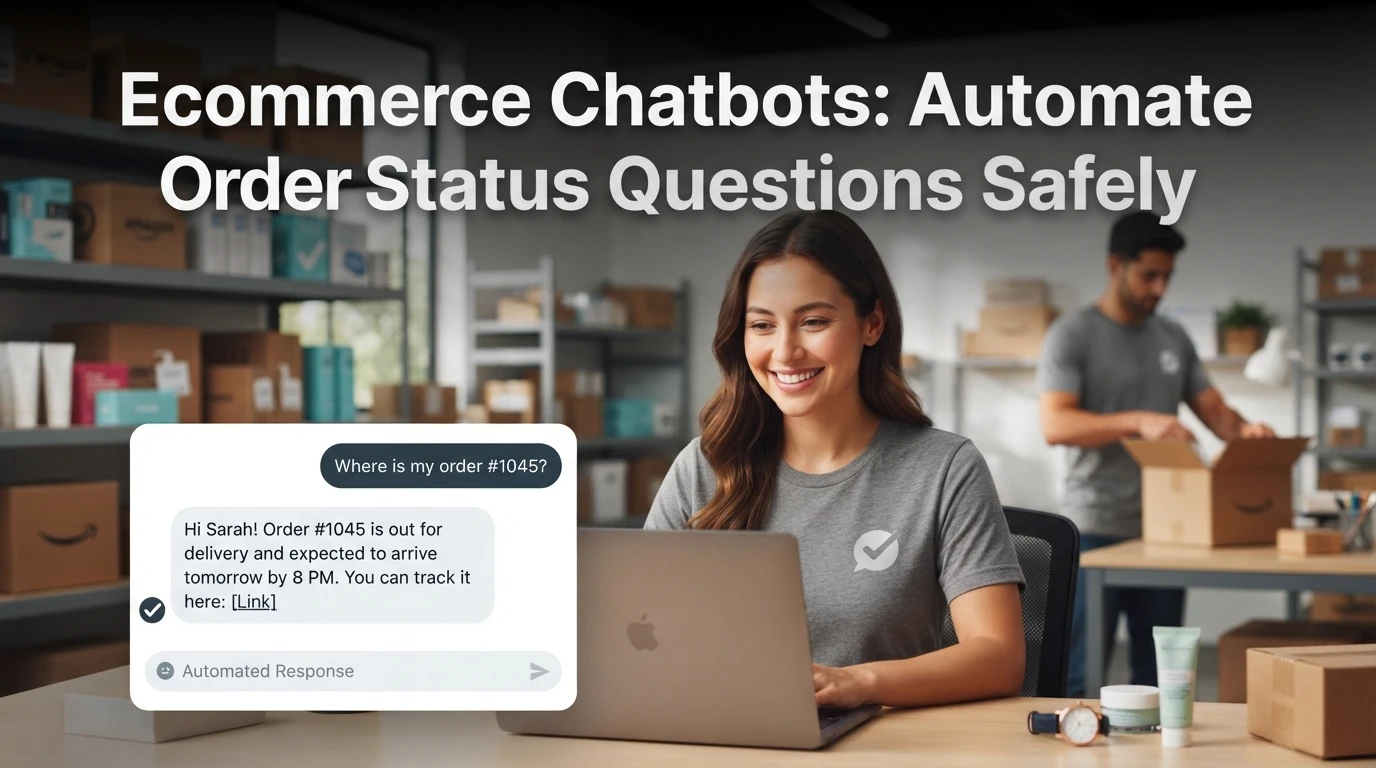
When a customer asks "Where is my order?" for the fifth time today, they are not chasing a tracking number. They are testing how reliably your store runs. Every reply you delay erodes trust, and every answer you hand-type costs hours your team could spend on real work.
That is why ecommerce chatbot order status automation matters, and why it must connect securely to Shopify rather than guess. This guide shows how to automate WISMO questions safely, covering API integration, data privacy, and human handoff, drawing on Kandid's work building Shopify chat systems for stores in the US, India, and the UK.
Step 1: Authenticate the Chatbot with Your Shopify API
Before your bot can answer "where is my order?", it needs read access to order data. Create a custom app in your Shopify admin, then generate an Admin API access token. Grant only the read_orders and read_customers scopes. Skip write permissions entirely, since a status bot never needs to edit orders.
Keep the token in a secure environment variable, never in your chatbot's front-end code. If the token leaks, anyone holding it can pull your full customer list.
Most Shopify AI chatbots handle this connection for you. Platforms like Kandid's Shopify AI sales agent connect through the official app install flow, so you approve scopes once instead of managing raw tokens.
Avoiding Data Privacy Risks
Ecommerce chatbot order status automation touches personal data: names, addresses, phone numbers and purchase history. That puts you under GDPR in the UK and EU, and DPDP rules in India. A few habits keep you safe:
- Minimize scopes. Request only read access. Review them every quarter.
- Verify, don't trust. Confirm the customer's email or order number before sharing any detail.
- Limit what the bot repeats. A status update is fine; the full shipping address spoken back into a public chat is not.
- Log access. Know which orders were queried and when, so you can answer a data request quickly.
Test the connection with a real order before launch. If the bot returns the wrong order or none at all, check the scope grants first, then the token itself. Most failures are a missing read_orders grant, not a broken integration.
Step 2: Configure Order Verification Logic
Defining Verification Fields
Before your chatbot shares any order detail, it must confirm the shopper is who they say they are. This step is the safety core of ecommerce chatbot order status automation. Without it, a bot can leak order data to anyone with a name and a guess.
Ask for two matching fields from the Shopify order record. A common pairing is the order number plus the email or phone used at checkout. If both match the same order, release the status. If either fails, refuse and offer a human handoff.
A simple rule set looks like this:
| Check | Pass Condition | On Failure |
|---|---|---|
| Order number | Exists in store | Ask to re-enter |
| Email or phone | Matches that order | Escalate to agent |
| Retry limit | Under 3 attempts | Offer contact form |
Keep the retry limit low. Three failed attempts usually means a wrong or shared email, and a person should take over.

Also decide what the bot never says. Partial postcodes, payment amounts and full addresses stay out of chat replies unless you enable them deliberately. Verify your field mapping against your own order tracking and refund setup before going live.
Step 3: Implement Human Handoff Protocols
Even a well-built order status bot hits questions it cannot answer. Plan for those moments before you launch, not after an angry email arrives.
Handling Exception Cases
Set clear triggers for handoff: refunds, damaged parcels, wrong items, address changes, or any question the bot answers "I'm not sure" twice. Route these to a human with the order details already attached, so shoppers never repeat themselves.
Define fallback behavior too. If no agent is online, tell the shopper when someone will reply and open a ticket automatically. A good setup guide for chatbot handoff and escalation covers routing rules in more depth.
Watch transcripts weekly. Most failures cluster around a few phrasings you can fix by updating the bot's answers rather than adding staff.
Tip: Keep an opt-out phrase like "talk to a human" working at all times. Blocking it is the fastest way to lose trust.


Tired of "where is my order?" tickets eating your team's day? Kandid's AI sales agent answers order status questions securely, around the clock, so see how it fits your store.
Frequently Asked Questions
Q1: How can ecommerce chatbots answer order status questions securely and accurately?
Connect the bot to Shopify's Admin API with scoped read access. It pulls live order data directly, never stores card details, and escalates anything uncertain to a human agent.
Q2: Do customers need to log in for order tracking?
No. Ask for order number and email, then verify both before showing details.
Q3: Which chatbot data should never be shared in chat?
Full addresses, payment details and phone numbers. Share order status and tracking links only.
Q4: What happens if the chatbot gives a wrong status?
Set it to say "let me check" and hand off, rather than guessing. Wrong guesses destroy trust faster than no automation.
Conclusion
Safe order-status automation comes down to three things: read-only API scopes, verified customer identity before sharing order details, and a clean human handoff when a chatbot hits its limits. Get those right, and shoppers get instant answers while your support team keeps its time for real problems.