How to Set AI Sales Agent Approval Rules for Discounts
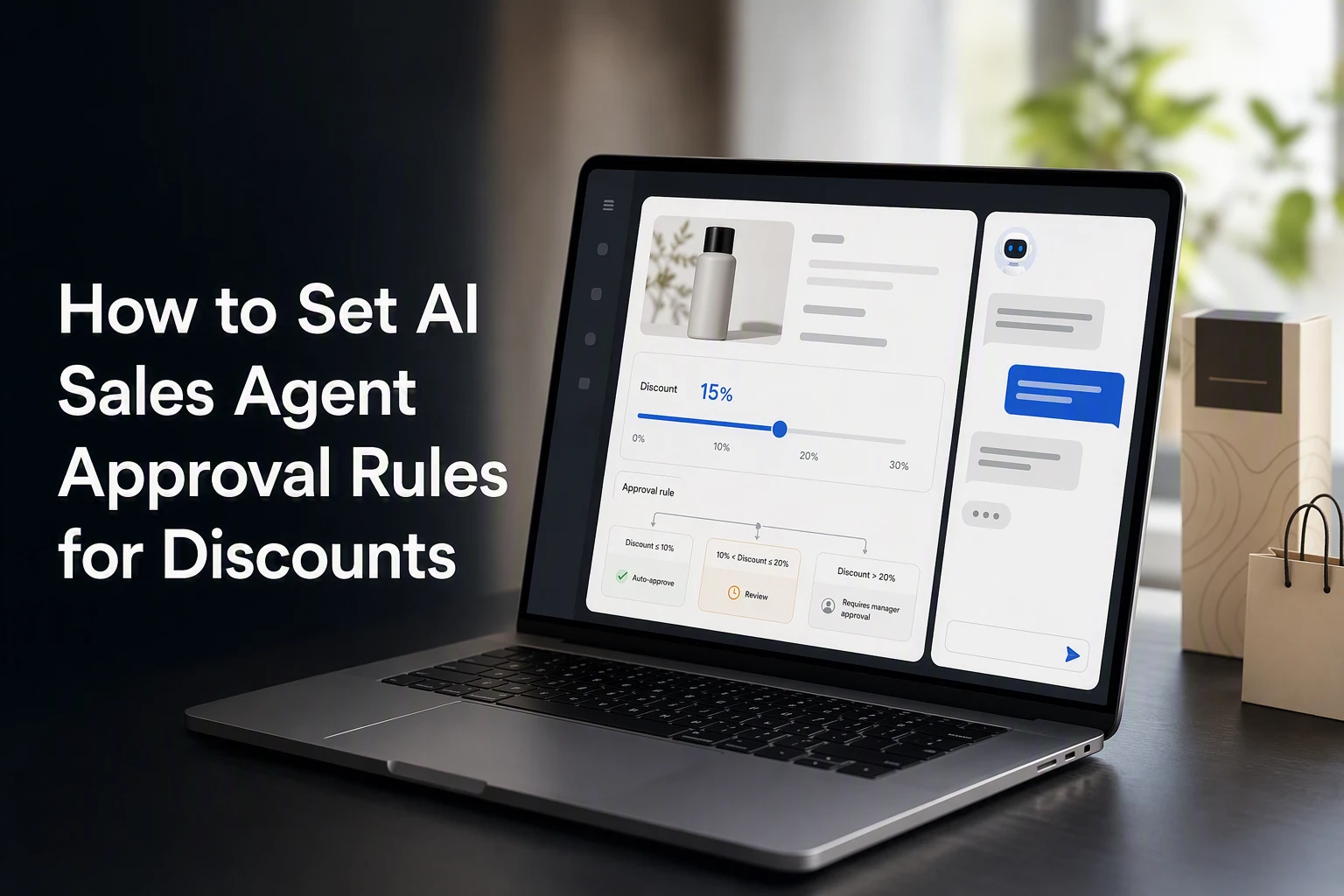
Quick Summary: Set fixed approve, escalate, or reject rules for AI sales agents offering discounts, checking margin, cart contents, and promo stacking before any offer. Use tiered thresholds like auto-approving up to 10% off, escalating 11-15% to a human, and rejecting over 15%, while testing edge cases and monitoring metrics like average discount and escalation rate. Shopify applies product discounts before order discounts, so verify the final combined cart total, not just the agent's offer. Kandid helps agents follow approved offers and escalate exceptions.
A shopper asks, “Can you do 20% off if I buy today?” The risk is not the reply. It is whether your agent checks margin, item limits, live promos, and who can approve it first.
AI sales agent discount approval rules turn that choice into a fixed policy. This guide shows how to set AI sales agent discount approval rules for auto-approval, escalation, and rejection in Shopify. Strong AI sales agent discount approval rules protect profit while keeping deals moving.
Step 1: Define the Three Approval Outcomes
Approve, Escalate, or Reject
Give every discount request one fixed result:
- Approve: It meets all limits, such as 10% off carts above $75.
- Escalate: It needs a person, such as a 15% request from a repeat buyer.
- Reject: It breaks a hard rule, such as discounting gift cards or clearance items.
Tip: Make the agent state the reason for each outcome. This gives your support team a clean audit trail.
Set Rule Precedence
Put hard stops first, then check stacking, margin, and customer status. Shopify applies product discounts before order discounts, then shipping discounts, so your rules must account for the final combined saving (Shopify's discount combination guidance).
| Priority | Rule | Outcome |
|---|---|---|
| 1 | Excluded product in cart | Reject |
| 2 | Existing promo can stack | Escalate |
| 3 | Within approved cap | Approve |
Also Read: How to Build AI Sales Agent Guardrails for D2C Commerce
Step 2: Choose the Inputs Every Discount Rule Must Check
Check Shopper, Cart, and Promotion Eligibility
Make the agent check fixed fields before it offers a discount:
- Customer segment, market, and past code use
- Cart subtotal, quantity, eligible SKUs, and subscription status
- Promotion dates, remaining uses, and stackable codes
Shopify supports minimum spend, item limits, customer segments, and market eligibility for discount codes, as outlined in its discount code settings.

Reject the request if any required input is missing. Do not let the agent infer eligibility.
Check Margin and Commercial Risk
Set a floor for gross margin after the discount, shipping subsidy, and payment fees.
| Input | Rule |
|---|---|
| Margin after discount | Auto-approve only above your floor |
| Existing promotion | Reject if stacking is blocked |
| High-value cart | Escalate above a set discount cost |
Shopify applies product, order, and shipping discounts in sequence, so test the final cart total, not each offer alone. See Shopify's discount combination rules.
Also Read: 7 AI Sales Agents for D2C Product Qualification
Step 3: Build Thresholds and Approval Routing
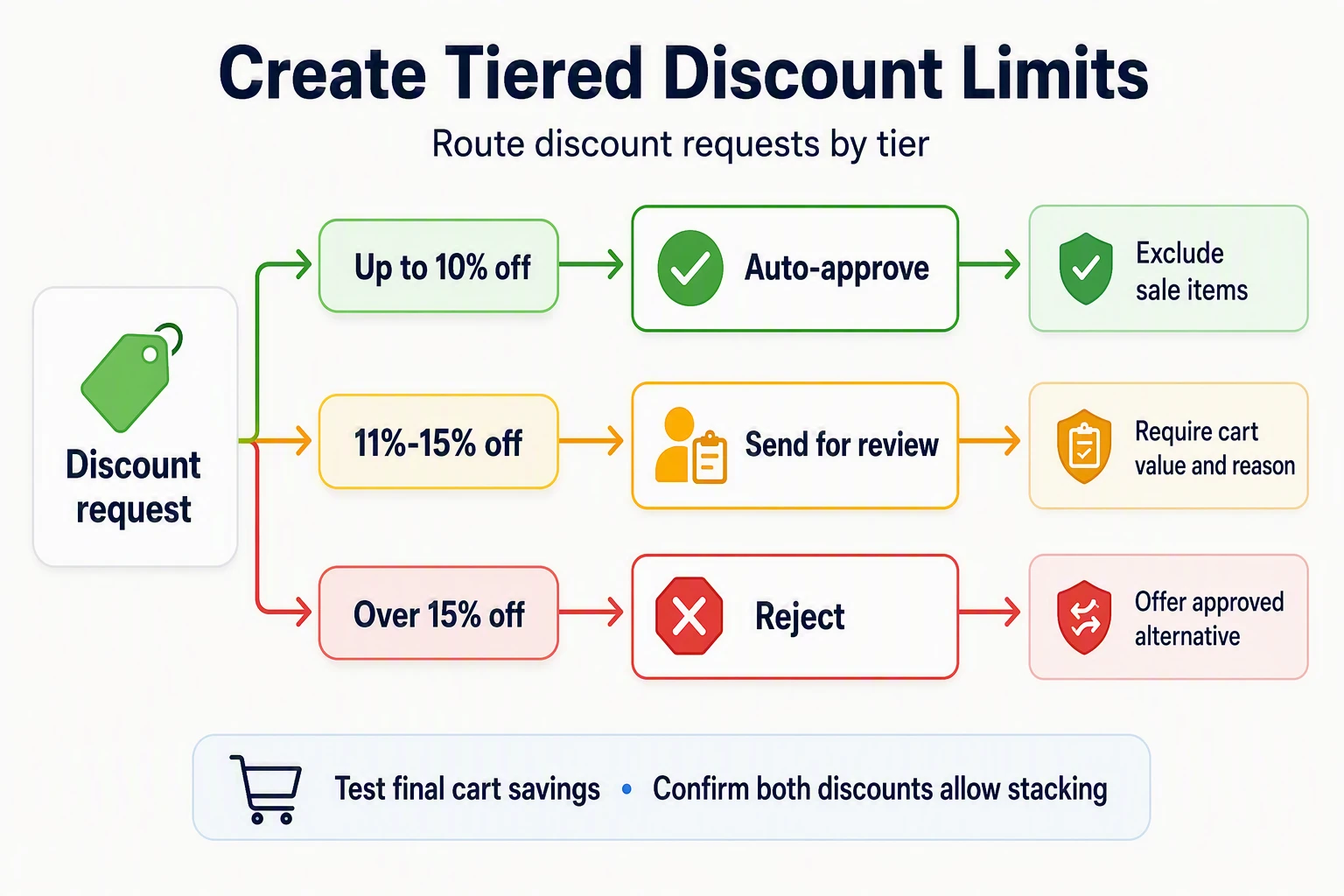
Create Tiered Discount Limits
Set fixed tiers. Do not let the agent decide what feels fair.
| Request | Action | Guardrail |
|---|---|---|
| Up to 10% off | Auto-approve | Exclude sale items |
| 11%-15% off | Send for review | Require cart value and reason |
| Over 15% off | Reject | Offer approved alternative |
Shopify applies product discounts before order discounts, so test the final cart savings, not just the agent's offer. Shopify's combination rules also require both discounts to allow stacking.
Tip: Set a lower cap for low-margin SKUs, bundles, gift cards, and subscription first orders.
Route Exceptions With Complete Context
Every review request should include:
- Cart subtotal, items, margin group, and active discounts.
- Customer status, prior orders, and requested discount.
- Agent chat summary and a clear approve-or-decline choice.
Route margin-risk requests to finance or an owner. Send service recovery cases to support. Reject expired codes, excluded products, and stacked offers that break policy. Shopify can apply the best eligible discount combination automatically, so check the live cart before approval.
Step 4: Test, Monitor, and Tighten the Rules
Test Edge Cases Before Enforcement
Run test carts before turning rules live. Include:
- A sale item plus a loyalty code
- A free-shipping offer plus an agent discount
- A low-margin SKU and a high-value cart
- A repeat request after a discount was denied
Shopify applies product discounts before order discounts, so test the final margin, not just the offer shown in chat.
Keep the agent in escalation-only mode for new rules until results match policy.
Review the Right Metrics
Review a weekly sample of approvals, escalations, and rejections.
| Metric | What it flags |
|---|---|
| Average discount by cart | Margin drift |
| Escalation rate | Rules that are too strict |
| Repeat discount requests | Policy loopholes |
Tighten one rule at a time. Record the change, owner, and effective date.

Set discount guardrails without slowing sales. See how Kandid helps agents follow approved offers and escalate exceptions.
Frequently Asked Questions
Q1: How can brands control AI sales agent discount approvals?
Use fixed thresholds, approved codes, and clear escalation paths. Let the agent apply only pre-approved offers. Send larger discounts, stacked promotions, or margin-risk orders to a human.
Q2: What should trigger human approval?
Escalate requests above your discount cap, orders with low margin, repeat coupon use, bundle exceptions, or customers asking to combine offers.
Q3: Can approval rules vary by customer?
Yes. Set separate limits for first-time buyers, VIPs, wholesale shoppers, and loyalty members. Keep each rule tied to a verified customer tag or order condition.
Conclusion
Set firm approve, escalate, and reject limits. Test every stack scenario before launch. Shopify applies discount classes in a set order, so check combinations before your agent makes an offer.