Shopify AI Chatbot Implementation Guide for Lean Ecommerce Teams
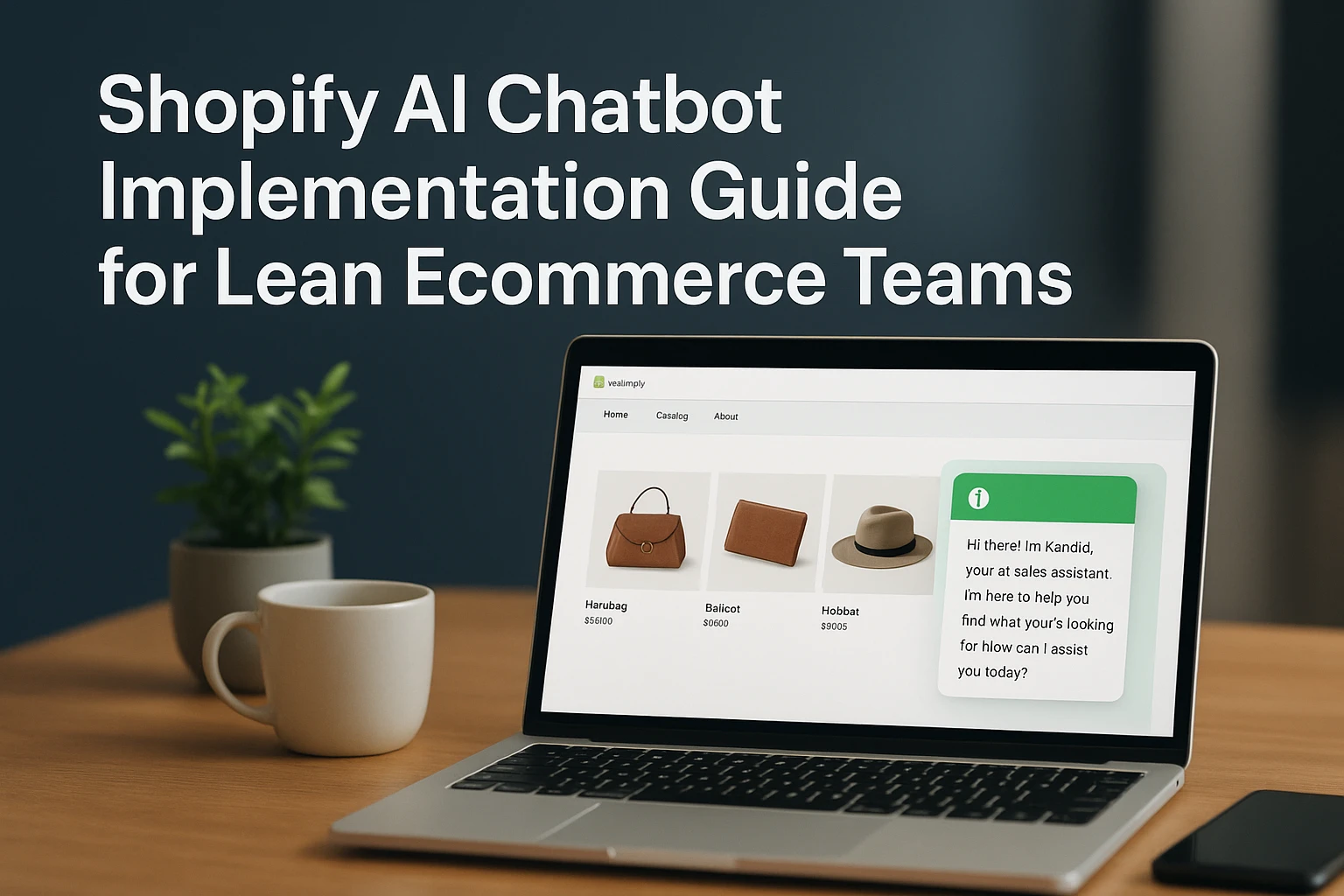
Quick Summary: Lean ecommerce teams should start a Shopify AI chatbot with a narrow scope, like product fit and shipping policies, using only approved data and a clear stop rule for unsupported questions. Prepare source data with a checklist, configure a simple widget with human handoff that keeps full chat context, and test a fixed set of real shopper prompts before launch. Measure weekly on answer quality, handoff rate, and assisted orders, but keep attribution modest since a chat can assist a sale without causing it. The guide emphasizes starting small, testing edge cases, and routing complex issues like refunds or order edits to humans.
Answering repeat questions about fit, delivery, returns, and product choice drains a lean team. A strong Shopify AI chatbot implementation starts small: make high-intent answers accurate, then pass the full chat context to a person when needed. This guide shows how to prepare source data, scope automation, test real shopper cases, and measure assisted sales without claiming chatbot activity caused every order.
Step 1: Choose a Small, High-Value Chatbot Scope
Start With Product Questions and Routine Policies
Begin your Shopify AI chatbot implementation with questions your team answers every day:
- “Which size fits me?”
- “Is this item vegan?”
- “When will my order ship?”
Use approved product data and published policy pages only. This keeps answers useful and easy to check.
![How To Build A Shopify Product Recommendation AI Chatbot [Free]](
)
| Start with | Avoid at launch |
|---|---|
| Product fit and care | Custom discount decisions |
| Shipping and returns | Complex order changes |
Write a Stop Rule for Unsupported Questions
Set a clear rule: if the bot lacks a source, it must not guess. Route the chat to a person for order edits, damaged goods, payment issues, or unclear policy cases.
Human roles and oversight should be clearly defined, as NIST guidance recommends.
Also Read: Ecommerce Chatbot Setup Guide for Shopify Catalog and Storefront Sales
Step 2: Prepare the Shopify Data the Bot Will Use
Audit Products, Policies, and Store Pages
A bot can only answer from what you give it. Review active products first: titles, variants, stock, price, size, material, care, and compatibility. Shopify supports custom product facts through metafields, which help keep answers specific.

Check shipping, returns, exchanges, subscriptions, and contact pages. Remove old offers and conflicting policy text.
Do not let the bot guess about delivery dates, fit, safety, or stock.
Create a Source-of-Truth Checklist
| Source | Check before launch |
|---|---|
| Product catalog | Variants, price, stock, key attributes |
| Policies | Current terms and clear exceptions |
| Help pages | Answers match support team guidance |
- Name one owner for updates.
- Log each source URL or Shopify field.
- Test five real shopper questions after every major catalog change.
Also Read: Live Chat and AI Chatbot Setup Guide for Ecommerce Stores
Step 3: Configure the Chatbot, Widget, and Human Handoff
Configure the First Shopper Experience
Set a short welcome message and three clear prompts: find a product, check an order, and talk to support. Match the widget color to your theme, but keep contrast high on mobile.

| Shopper intent | Bot action |
|---|---|
| Product question | Ask one need-based follow-up |
| Order question | Request approved lookup details |
| Complex issue | Offer human help |
Define Handoff and Order-Access Rules
Send refund requests, damaged items, address changes, and low-confidence answers to a person. Keep the full chat context in the handoff. Shopify Inbox can move conversations to staff while retaining prior AI context, according to Shopify's conversation guide.
Give the bot only the order access it needs. Do not let it promise refunds, edits, or delivery dates.
Test handoff during staffed and unstaffed hours. Show a clear reply-time expectation when no agent is online.
Also Read: How to Train an Ecommerce Chatbot on Product Catalog Data
Step 4: Test, Launch, and Measure the First 30 Days
Run a Fixed Test Set Before Going Live
Test the same prompts before every launch:
- Product fit, variants, stock, shipping, returns, discount limits.
- Misspelled, vague, and multi-part questions.
- Human handoff, order status, and unsafe requests.
Shopify recommends testing critical functions such as product search, cart actions, policies, and order queries.
Log wrong answers and dead ends. Fix source data or rules before expanding scope.
Review Quality and Business Signals Weekly
Review a sample of chats each week.
| Signal | What to check |
|---|---|
| Answer quality | Correct, useful, on-brand |
| Handoff rate | Escalations that needed a person |
| Product clicks | Interest, not proof of sales |
| Orders | Compare tagged chat sessions with a control period |
Keep attribution modest. A chat can assist a sale without causing it.

Set up a focused AI sales assistant with Kandid to guide product discovery, answer questions, and route complex chats to your team.
Frequently Asked Questions
Q1: How can a lean ecommerce team implement a Shopify AI chatbot?
Start with product data, shipping policies, and top support questions. Automate product guidance first, route complex cases to humans, then test real shopper paths before launch.
Q2: What should the chatbot answer first?
Prioritize sizing, compatibility, stock, delivery, returns, and product comparisons.
Q3: How do we measure chatbot value?
Track assisted orders separately from direct sales, plus handoffs, unanswered questions, and support time saved.
Conclusion
Start narrow: clean source data, automate one low-risk task, and make human help easy. Test edge cases, then measure against a baseline. Shopify also stresses escalation rules for complex requests in its chatbot guide.