Shopify Chatbot AOV Measurement: Proving Assisted Order Value
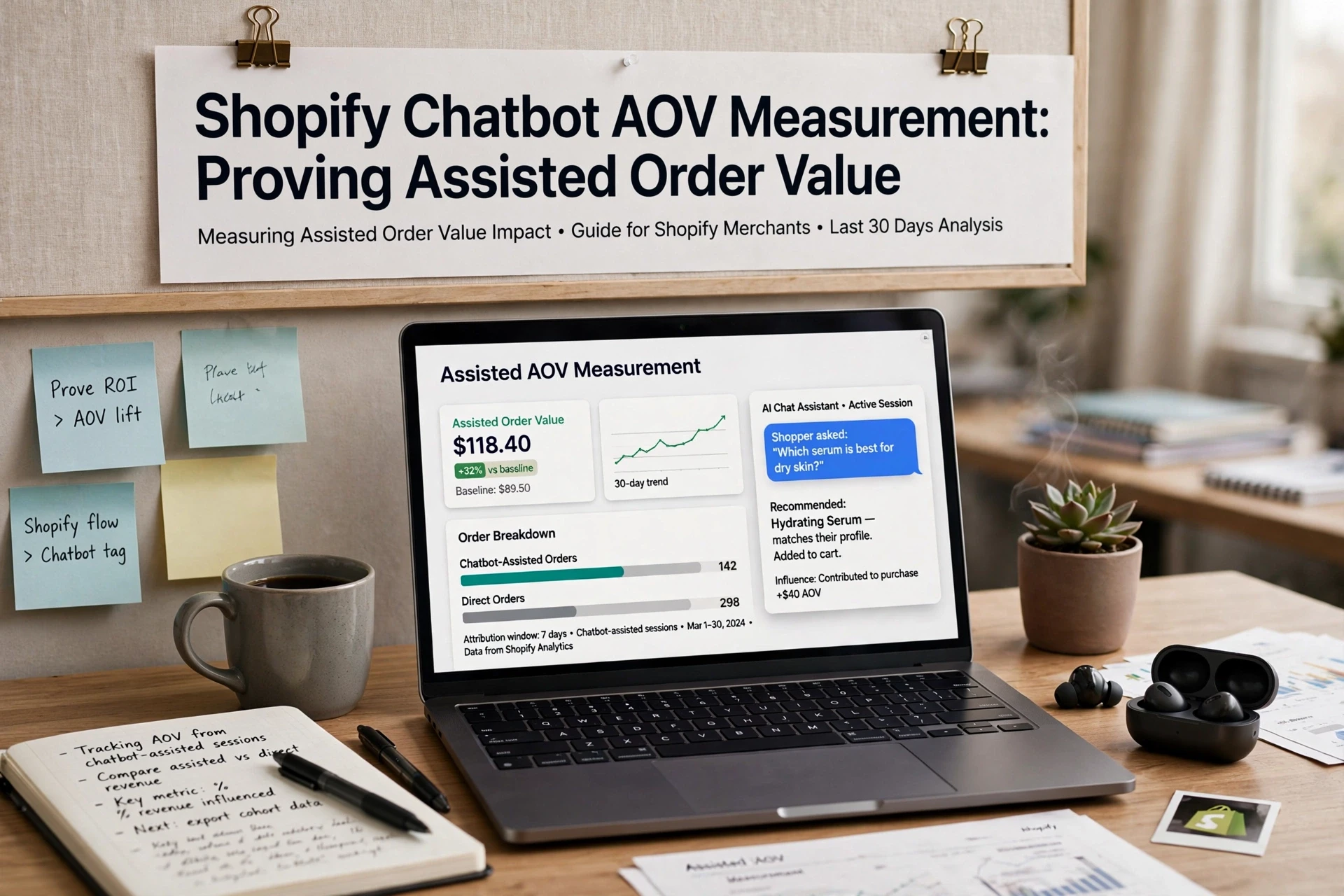
Quick Summary: To measure Shopify chatbot AOV, tag orders where shoppers engaged with the chat before checkout, then apply Shopify's formula (gross sales minus discounts divided by orders) to those tagged orders. Compare that assisted AOV against a control cohort of non-chat shoppers from the same period, checking for biases like product mix or traffic source. Report the result as observed lift, not causal proof, and include a scorecard with method, period, and sample so finance can audit it. Tools like Kandid, Tidio, and Gorgias can log session data to match orders for tagging.
A shopper asks your Shopify chatbot whether a jacket runs small, then checks out with the recommended size plus matching trousers. The order lands, but nobody agrees on whether that bigger basket counts as chatbot-assisted. This guide fixes that. You'll get a clear rule for tracking Shopify chatbot AOV, a method to separate assisted orders from real lift, and steps to report numbers your finance team will accept.
Step 1: Define What Counts as a Chatbot-Assisted Order
Before you track anything, write down one rule. A chatbot-assisted order is an order from a session where the shopper engaged with the chatbot before checkout. Pick a single trigger so your numbers stay consistent. Examples:
- The shopper clicked a recommended product inside the chat.
- The shopper sent at least one message in the chat session.
- The chatbot surfaced a product page the shopper then visited.
Use Shopify's own AOV math as your baseline: average order value equals gross sales minus discounts, divided by order count, per Shopify's sales report definitions.
Use a Specific Assistance Rule
Vague rules inflate results. Decide in advance which chat events count, then tag those orders with a consistent marker, such as a UTM parameter, a cart attribute, or a note from your chatbot app. Most tools, including Kandid, Tidio, and Gorgias, log session data you can match to orders later. Write the rule down and never change it mid-month.
Separate Exposure, Engagement, and Assistance
Three levels exist, and they are not equal:
| Level | Shopper Action | Counts as Assisted? |
|---|---|---|
| Exposure | Chatbot widget was visible | No |
| Engagement | Shopper opened or messaged the chat | Depends on your rule |
| Assistance | Clicked a recommendation or asked about a product | Usually yes |
Pick one level and stick to it. Mixing levels makes your Shopify chatbot AOV numbers unverifiable.

Also Read: How to Measure Ecommerce Chatbot Revenue Attribution
Step 2: Calculate Assisted AOV Using the Same Basis as Shopify
Shopify calculates AOV as gross sales minus discounts, divided by orders, excluding post-order adjustments. Shopify applied this definition across the whole admin, including historical data, in January 2023. Match it exactly or your assisted number will not line up.
Apply the Formula
Use this for chatbot-assisted orders only:
Assisted AOV = (gross sales of chatbot-assisted orders - discounts on those orders) ÷ number of chatbot-assisted orders
Pull gross sales and discounts per order from your Shopify sales report, then filter to sessions tagged by your chatbot. That means tagging orders where a shopper engaged the assistant before checkout. Most Shopify chatbot tools, including Tidio and Kandid, can pass an event or tag you can filter on.
![How to See Average Order Value on Shopify [SIMPLE GUIDE]](
)
Report Gross and Net Views Separately
Show two columns side by side. Gross assisted AOV uses the Shopify basis above, so it is comparable with your dashboard. Net assisted AOV subtracts returns and refunds tied to those orders. If the gap between the two keeps widening, the chatbot may be pushing the wrong products. Report both, never just the flattering one.
Also Read: D2C Product Recommendations Strategy for Higher Average Order Value
Step 3: Compare Assisted AOV With a Fair Control Cohort
Raw numbers lie without a baseline. Pair your chatbot-assisted orders with a control group of similar shoppers who never opened chat.
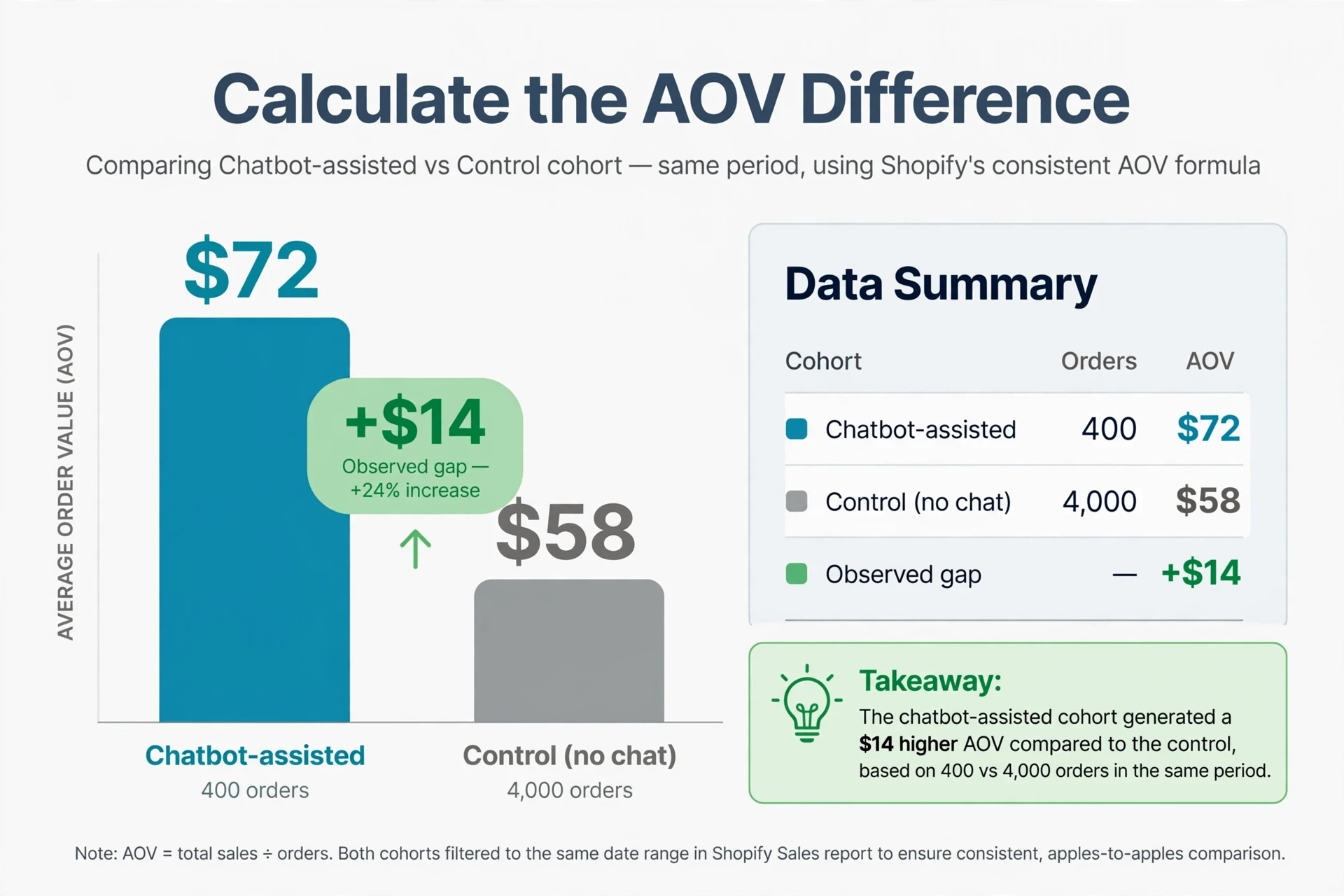
Calculate the AOV Difference
Pull both groups from Shopify Analytics using the same date range. Shopify defines AOV as gross sales minus discounts, divided by order count, and excludes post-order adjustments like returns and edits (Sales reports).
| Cohort | Orders | AOV |
|---|---|---|
| Chatbot-assisted | 400 | $72 |
| Control (no chat) | 4,000 | $58 |
| Observed gap | - | +$14 |
Use Shopify's report filters to keep both cohorts in the same period, since the admin applies its AOV formula uniformly (Measuring marketing performance).
Check the Mix Before Interpreting the Result
A gap this size is still only observed. Chat users skew toward engaged buyers, so check:
- Product mix: did chat orders include more high-ticket SKUs anyway?
- Traffic source: email and paid visitors often differ from organic.
- New vs returning: returning customers already buy more per order.
If the cohorts differ on any of these, adjust or segment before claiming lift.
Also Read: Retailers Report Bigger Baskets From AI Shopping Assistants
Step 4: Turn the Result Into a Defensible Revenue Report
A number nobody trusts is worth nothing. Package your chatbot-assisted AOV finding so finance, your co-founder, or a board member can audit it in five minutes.
Use a Measurement Scorecard
| Item | What to Record |
|---|---|
| Metric | Observed assisted AOV vs. store AOV |
| Attribution | Shopify's last-click, session-based model |
| Period | Exact dates, e.g. Jan 1-31, 2026 |
| Sample | Chat sessions with orders, not all chats |
| Limits | Observed lift, not causal proof |
| --- | --- | --- |
- State the method before the number.
- Label the result "observed", never "incremental".
- Note known biases like seasonal bundles.
If you use a platform like Kandid, export chat-session order data and attach it to the report as an appendix.
Act on the Questions Behind Higher or Lower AOV
AOV moved. Now ask why. Did buyers ask about bundles or sizing before checkout? Add those answers to product pages. If assisted AOV lags your store average, test product recommendations on your top question paths.

Want to track chatbot-assisted AOV the right way? See how Kandid fits your Shopify store.
Frequently Asked Questions
Q1: How can Shopify merchants measure chatbot impact on average order value?
Tag orders that had chat sessions before checkout, then compare their AOV against non-chat orders using Shopify Analytics. Treat this as observed correlation, not proven lift.
Q2: Is chatbot-assisted AOV the same as incremental lift?
No. Assisted AOV shows what higher-value buyers spent. True lift needs a holdout group or controlled test.
Q3: Which Shopify reports show average order value?
Shopify Analytics shows AOV under Reports as total sales divided by total orders. Filter by UTM source or chat-created tags.
Conclusion
Chatbot-assisted AOV proves attention, not causation. Measure observed lift against Shopify's own AOV definition, then test for real incremental gains.